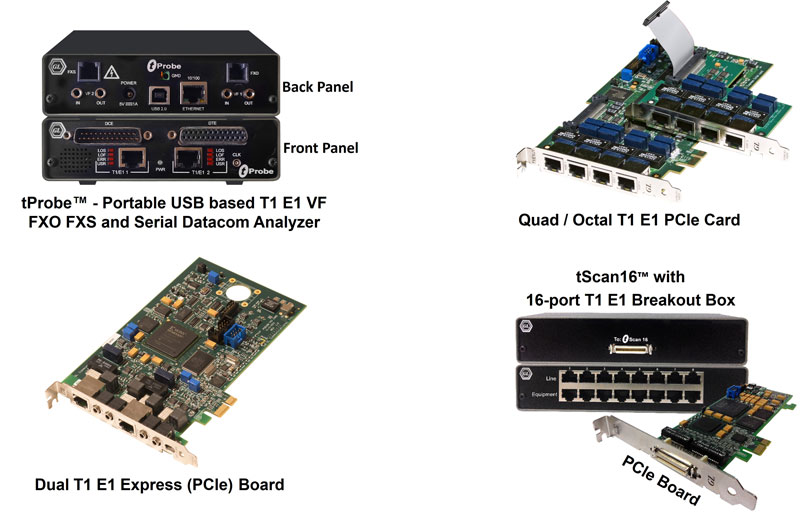
List of T1 E1 Basic and Optional Applications
with Buyers Guide
Basic Applications
Monitoring Applications
The ULTRA T1 (E1) provides in-service monitoring of T1 (E1) circuit connections, alarms, frame errors, sync loss, bipolar violation signals, including received
frequency, received signal level, data bytes, and DC offset. Also included are applications such as oscilloscope and spectral display to graphically analyze
signals. The ULTRA T1 (E1) emulates and decodes all 24 (32) channels simultaneously for Signaling Bits, Power Level, Frequency, and Multi-Frame Data. VF
interface for monitoring and inserting audio with Drop and Insert are also provided.
- Monitor T1/E1 Status
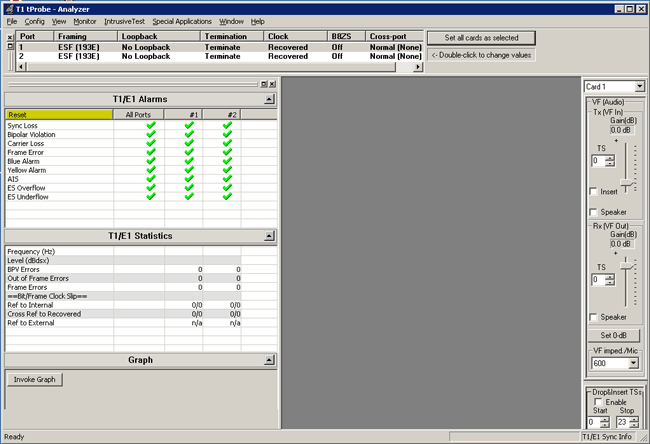
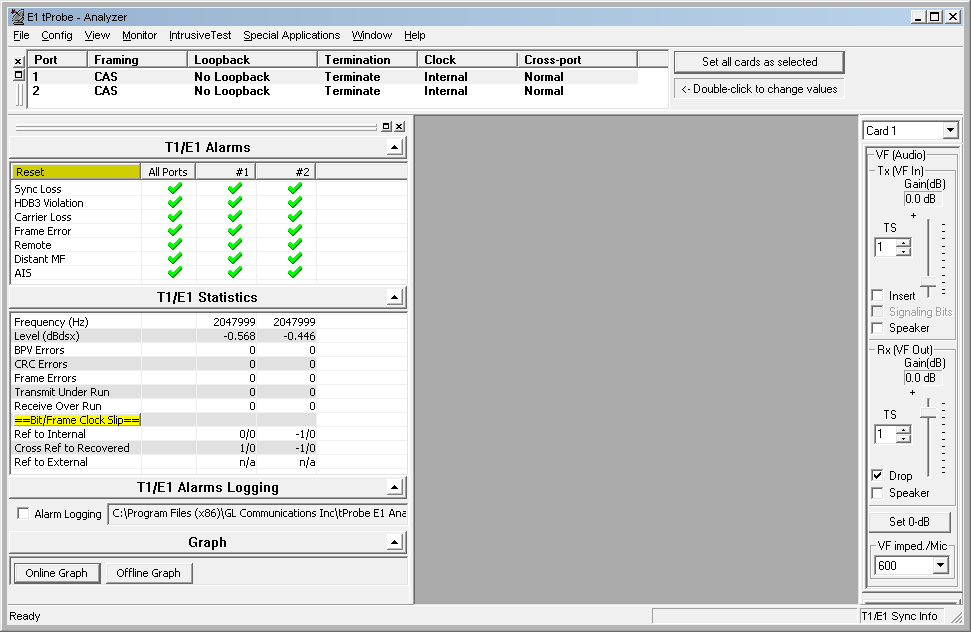
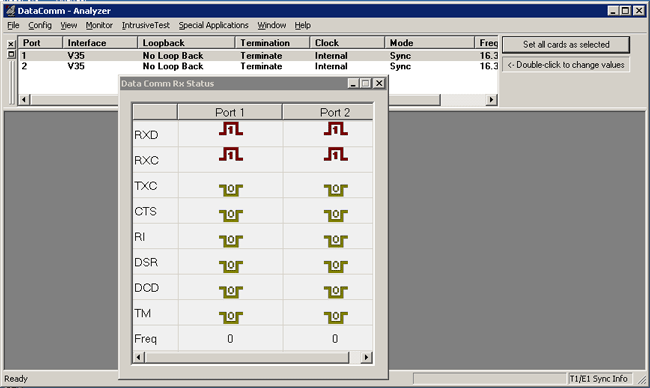
This application displays the T1/E1 line conditions for one or both the T1/E1 Cards. We can monitor line sync loss, HDB3 violation, carrier loss, frame error,
distant MF, alarm indication signal (AIS) and ES overflow/underflow in case of E1 and line sync loss, BPV, carrier loss, frame error, blue alarm, yellow alarm,
alarm indication signal (AIS) and ES overflow/underflow in case of T1. With this application the T1/E1 line frequency and the power level also can be
monitored.
- Extensive Use of Graphics for Rx Signal Monitoring
- Bytes Values Display for all time slots
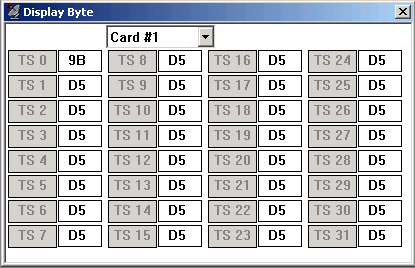
This box displays the data values for each time slot in HEX data format. These values will be changing very rapidly, as each timeslot's data rate is 8000
bytes/sec.
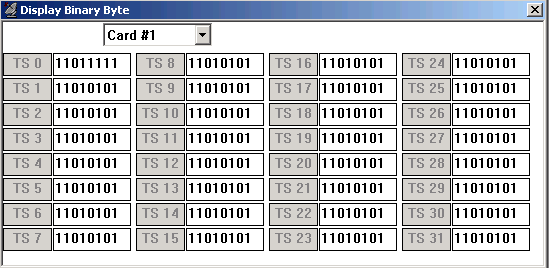
- Binary Byte Values Display for all time slots.
This box displays the data values for each time slot in binary data format. These values will be changing very rapidly as each timeslot's data rate is
8000 bytes/sec.
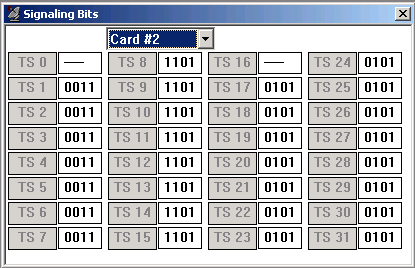
- Monitor signaling bits
The signaling bits associated with each timeslot are displayed in real-time. For T1 cards, the received signaling bits A and B for 193S (D4 Framing
Format) and A, B, C, and D for 193E (ESF Framing Format) are displayed for all channels. For E1 Cards, this application should be used in CAS mode only.
The signaling bits A, B, C, and D are displayed for all channels. These bits are demultiplexed from timeslot 16.
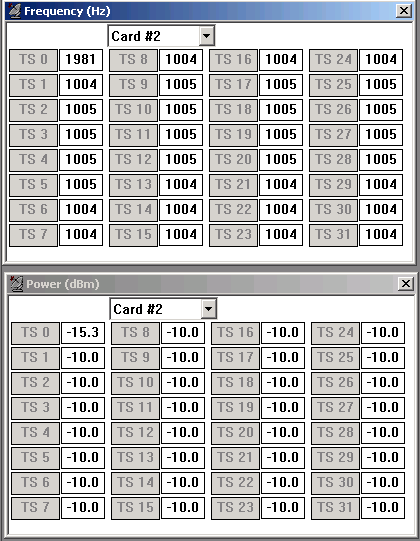
- Power Level Display for all time slots
The rms (root-mean-square) value of the digital codewords (after expansion from µ-Law or A-law) for each timeslot is computed and continuously
displayed in dBm. The number of samples used in the computation is 192.
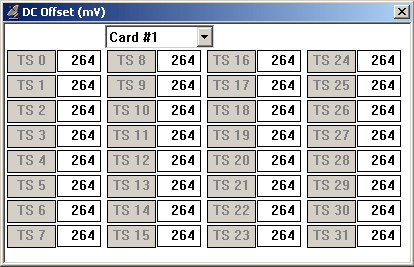
- DC Offset Display for all time slots
The DC Offset application provides the capability to measure and display DC offsets for all timeslots. Multiple instances of this application may be opened
simultaneously to monitor DC offsets on more than one GL card.
- Frequency Display for all time slots
A continuous display of the signal frequency in each timeslot is displayed. The frequency is computed using the zero-crossing rate of the samples from
each channel. The number of samples used in the calculation is 4000.
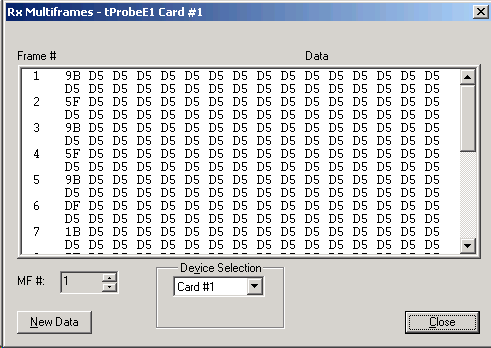
- Multiframe Byte Display
This application permits viewing of complete multiframes. Approximately one second of data is captured, or 682 multiframes in T1 ESF/193E, 1364
multiframes in T1 D4/193S, 1024 multiframes for E1. The data is displayed with each frame identified. For T1 systems, twelve (12) frames are displayed per
multiframe in D4 (193S) framing format, and twenty-four (24) frames in ESF (193E) framing format. For E1 systems, 16 frames are displayed per
multiframe.
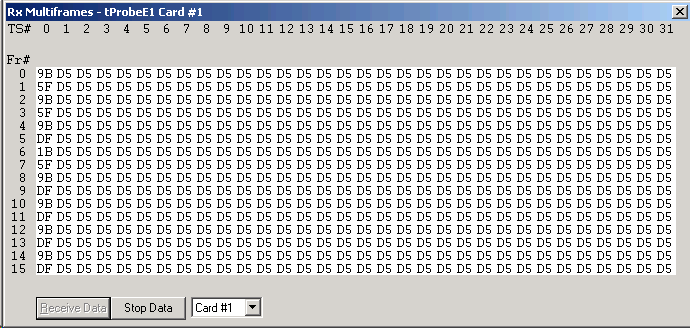
- Real Time Multiframe Monitoring
This application permits viewing of multiframes in real-time. The data is refreshed for about every second. For T1 systems, twelve frames are displayed per
multiframe in D4 (193S) framing format. Twenty-four (24) frames are displayed in ESF (193E) framing format. For E1 systems, 16 frames are displayed per
multiframe.
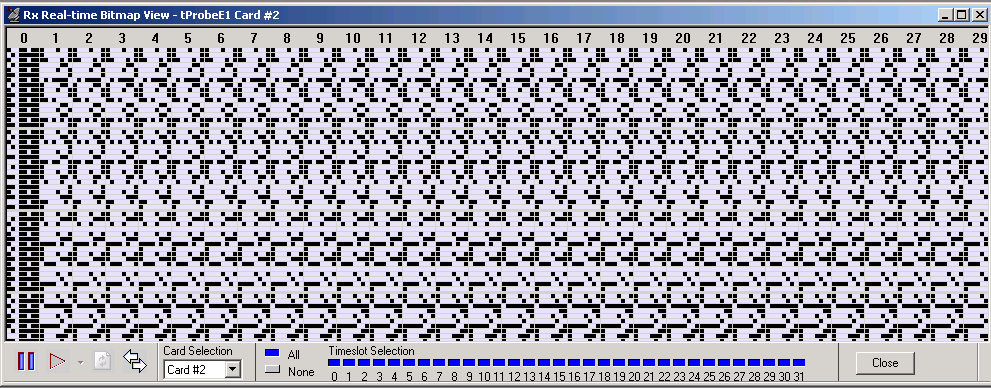
- Real Time Bitmap Monitoring
This application permits a graphical view of complete multiframes as a real-time bitmap. A snapshot of several multiframes of data is obtained at a given
instance and the view is rendered as a pixel map with zeros represented by white dots and ones represented by black dots.
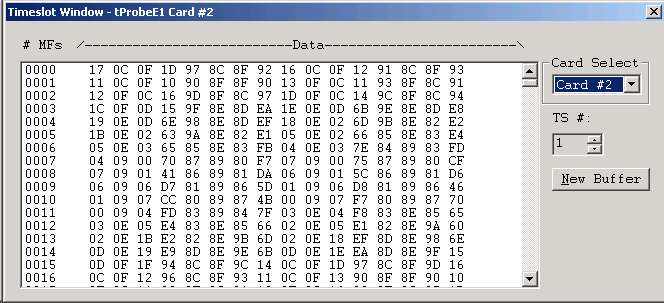
- Time Slot Byte Display
This window displays the timeslot value for about '1' second duration for a desired timeslot. Ability to change the particular timeslot is also provided. "New
Buffer" button allows refreshing of the data. The "Timeslot Window" module differs from "Multiframes" module, in which all the multiframes for a particular
timeslot are displayed.
Data of about one-second duration is displayed. In "Multiframes", T1 D4/193S: 1364 multiframes are displayed T1 ESF/193E: 682 multiframes are
displayed E1: 1024 multiframes are displayed
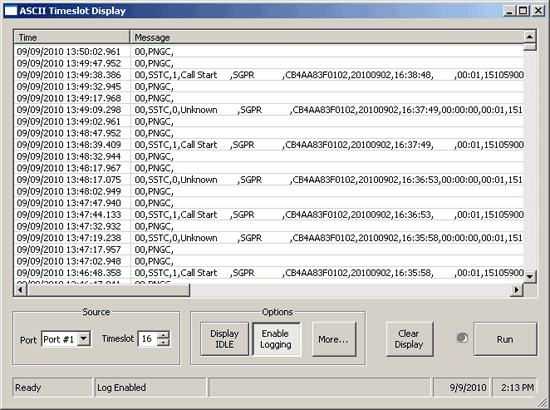
- ASCII Timeslot Display
This application permits viewing of real-time ASCII events that are present on the T1 or E1. The ability to display the ASCII events for a particular port and
timeslot is provided. Each event is properly time-stamped for tests that require time correlation. Logging real-time events to the hard drive is also possible;
this is useful during overnight or long-term testing.
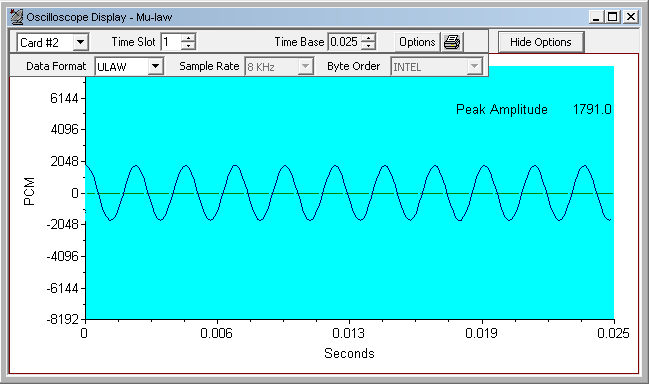
- Real Time Oscilloscope Display of DS0
The PCM codes (amplitude of the incoming signal) of any selected timeslot are displayed in real-time graphically as a function of time. Timeslot selection
and time base can be changed either to view different incoming timeslots or modify the duration of the display. The time base can be adjusted from
approximately 0.005 sec full scale to 1.000 sec full scale. This application can be used to visually assess activities on the channel such as noise, tone,
speech, etc. The data may be displayed in either linear or raw (compressed) format.
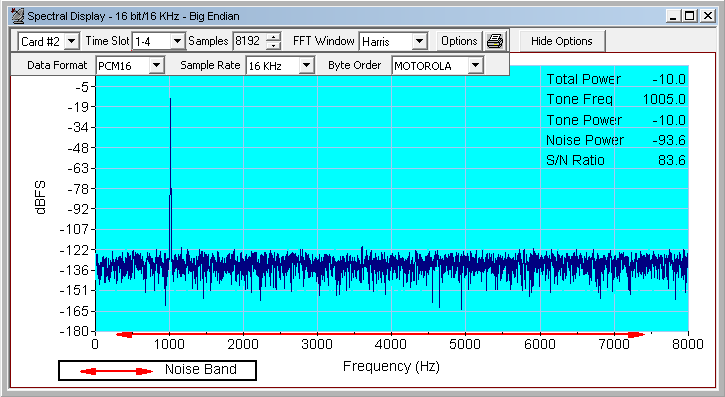
- Real Time Power Spectral Display of DS0
The data received on a specified timeslot can be viewed in the spectral domain (spectral amplitude Vs frequency). A Fast Fourier Transform (FFT) is applied
to successive sample sets of the incoming data and displayed in graphically. Adjust the frequency resolution by the FFT length (from 32 points to 8192 points).
The data can be smoothed to lessen the effects of truncation by applying Hamming, Hanning, Harris, Blackman, Triangular, or Rectangular filter windows.
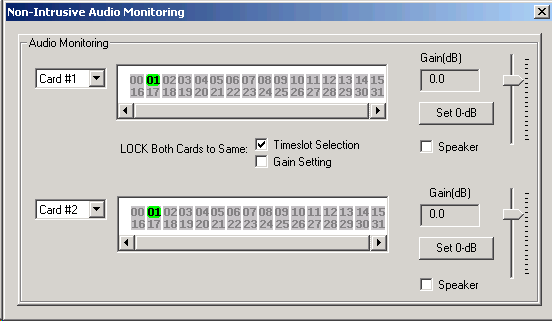
- Audio Monitoring
Audio monitoring allows the control of VF output (speakers) of all T1/E1 cards connected to a PC under a single program. This application permits the
combined display of all T1/E1 cards speakers in the PC and thereby facilitating the user a single application for all speaker controls.
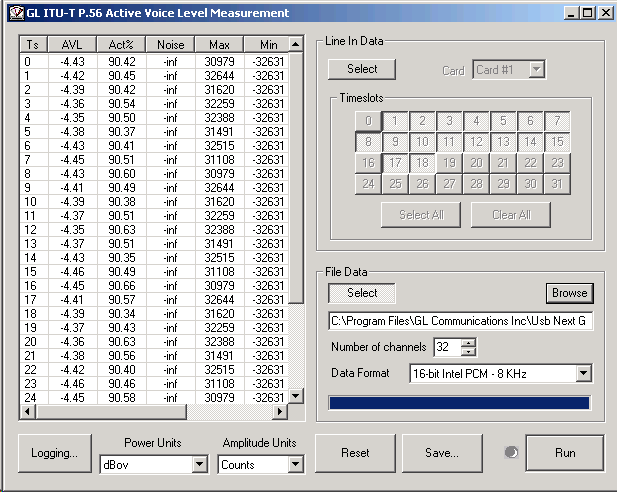
- Active Voice Level Monitoring
The Active Voice Level Monitor computes the Active Voice Level of a signal according to the ITU-T P.56 specification, Method B. This analyzes the source
signal in real-time from T1/E1 timeslots, or process the captured signal data files offline. This application is available under the Monitor Menu in T1/E1
analyzer software.
Intrusive Testing Applications
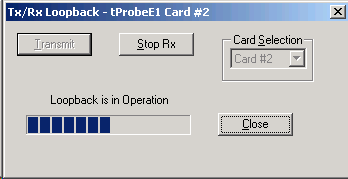
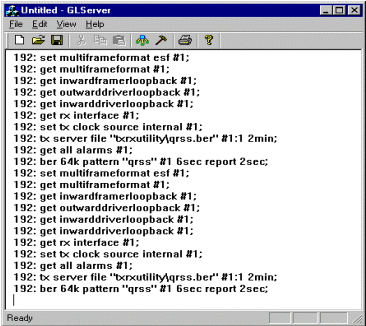
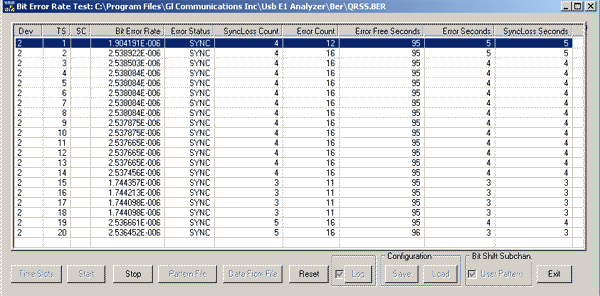
A variety of standard data patterns including static and user defined patterns are available for intrusive testing purposes. The BER Tester generates/detects
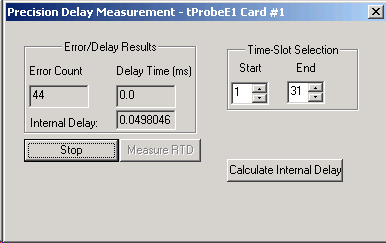
unframed, framed, and fractional data that are defined in Pseudo Random Bit Sequence (PRBS). Precision Delay Measurement under basic software measures
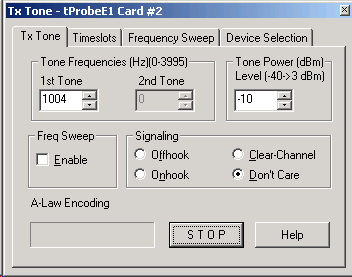
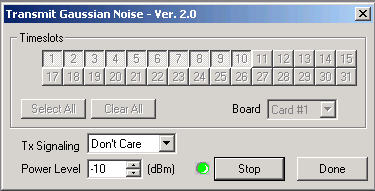
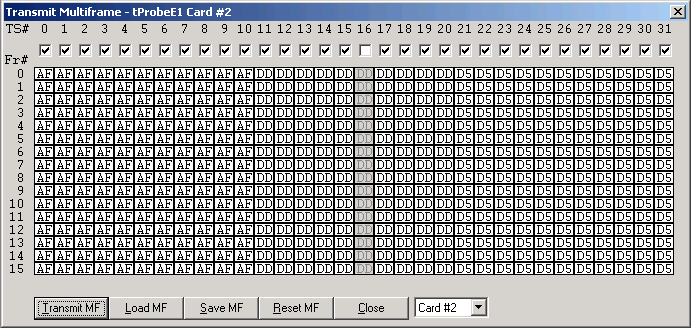
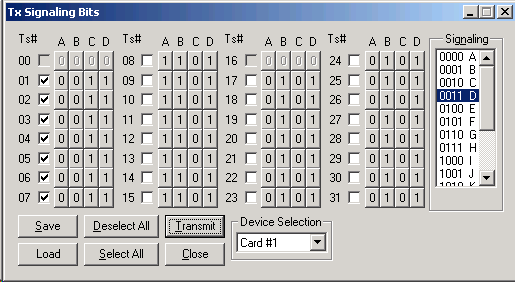
the round trip delay of a system. Measurement is precise and accurate to the microsecond level. Tone / Multiframe / Noise generation, signaling bit manipulation,
including error insertion features provide complete signaling ability for T1/E1 analyzer.
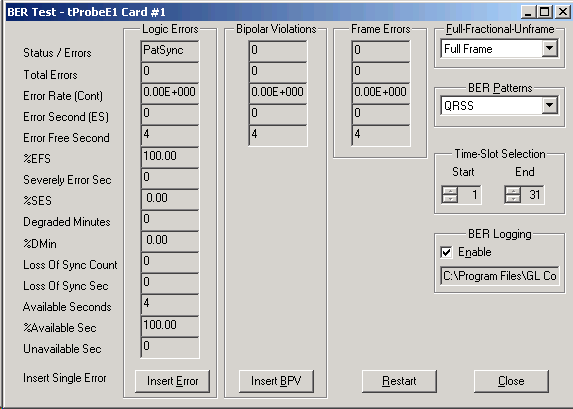
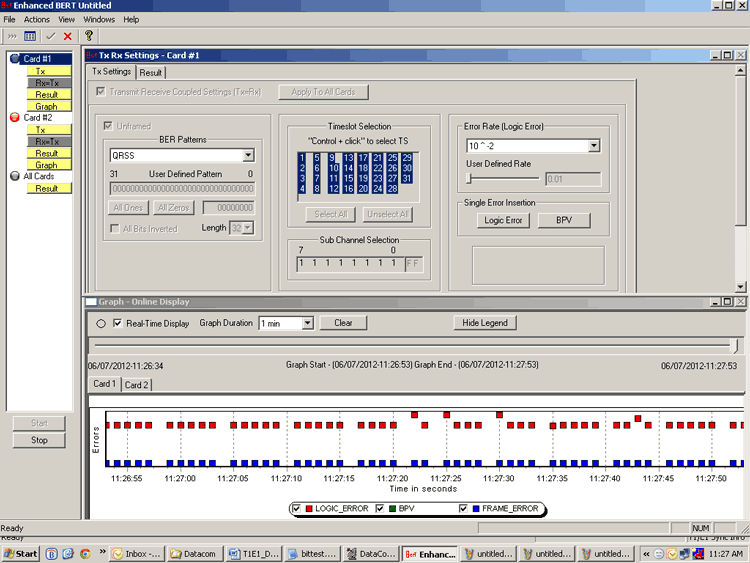
- Full / Fractional T1 and E1 BERT with Drop & Insert
The BER Tester generates/detects unframed, framed, and fractional data that are defined in Pseudo Random Bit Sequence (PRBS). In addition to these,
drop and insert capability is provided. A variety of standard data patterns are available for test purposes including static User defined patterns" as this option
is not allowed in BERT.
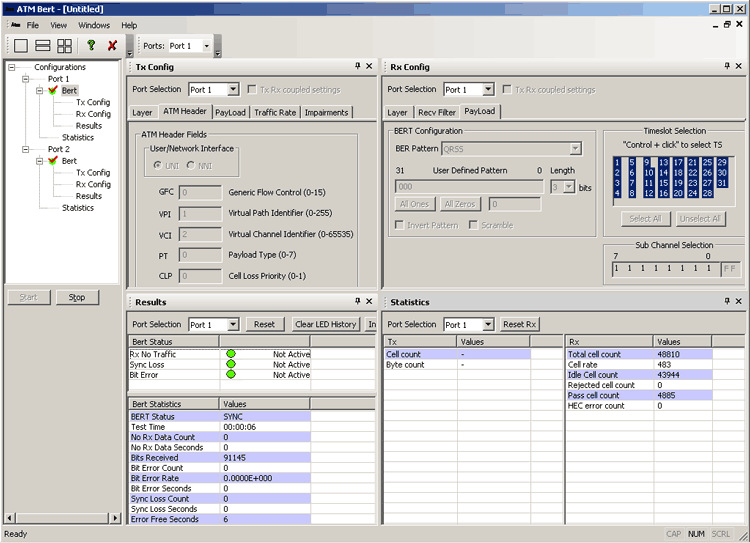
- ATM BERT
ATM Bit Error Rate Test (BERT) application permits BER testing over ATM layer. The application allows Traffic generation and verification, Bit Error Insertion,
Looping back incoming traffic, and configuring ATM headers for UNI & NNI interfaces. The application is capable of testing Pseudo Random Bit Sequence (PRBS)
patterns, all ones, all zeroes, alternate ones & zeroes, 1:1, 1:7, and user-defined bit patterns. In addition, single bit error insertion, auto error insert rate from
10-2 to 10-9, invert & non-invert selections, and scrambling options are provided.
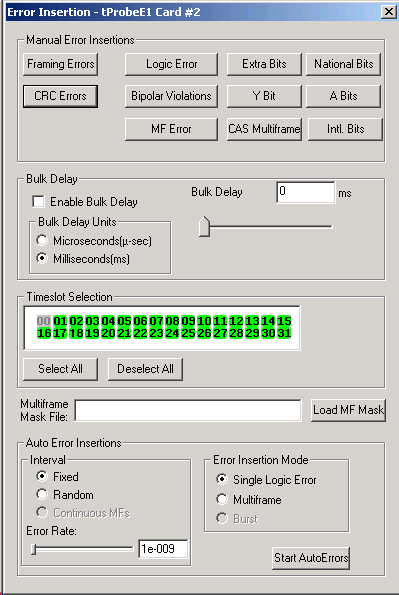
- Error Insertion
The Error Insertion application permits single, fixed, automatic, and random error insertion into the incoming bit stream. Bulk delay is an added feature in
Error insertion application (applicable only to USB Analyzers), that allows users to apply delay on the entire T1/E1 trunk (full multi-frame) of 1.544Mbps (T1)
pipe or 2.048 Mbps (E1) pipe.
Optional Applications
- Record/Playback Applications
- Record / Playback Disk Files
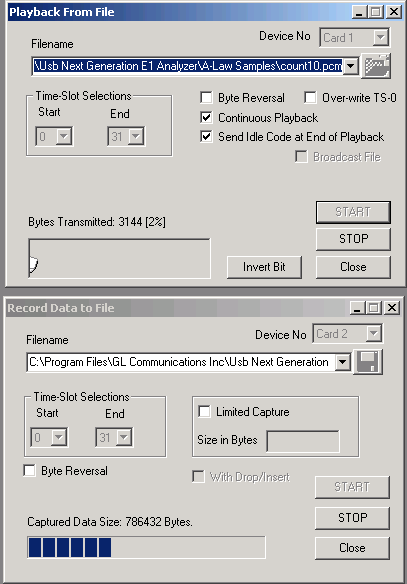
This optional software permits the user to transmit and or capture any signal on T1 or E1 lines with GL's T1/E1 Cards or USB T1/E1 Units. Typical applications
include transmission or capture of prerecorded video files, traffic loading applications and protocol analysis.
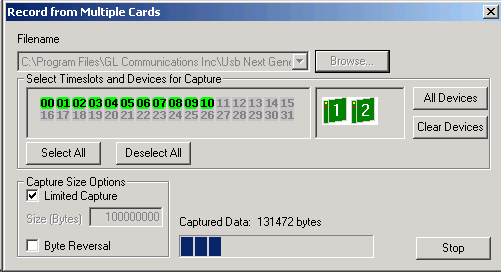
- Record from multiple cards
This application permits capture of data being transmitted on (any one or both) T1/E1 cards to a file.
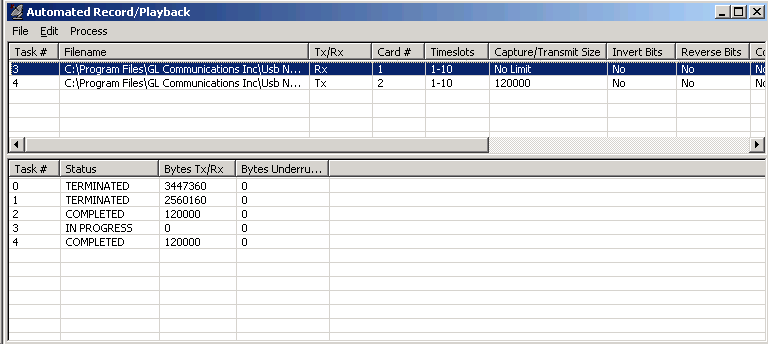
- Automated Record Playback
The 'Automated Record/Playback (ARP)' application is an extremely versatile and rugged application incorporated in T1/E1 analyzer that makes it very easy
for the user to run several transmit or receive operation tasks simultaneously.
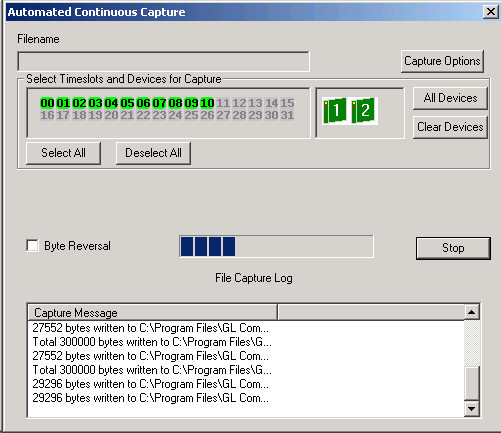
- Automated Continuous Capture
Automated Continuous Capture (ACC) allows users to capture different types of data (*.ala, *.ula, *.pcm, *.wav, *.ber) continuously into different files.
Instead of capturing data from a card in one big block, it is possible to capture seamless chunks of data in files of the specified size, or specified time limit of
capture.
- Transmit/Receive File Utility
The Transmit/Receive File Utility allows transmission and reception of files to/from t1 or e1 lines with greater flexibility than the Record/Playback Software.
The optional Record/Playback software runs as a feature under the T1/E1 GUI application software.
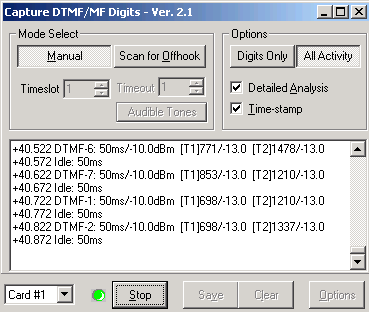
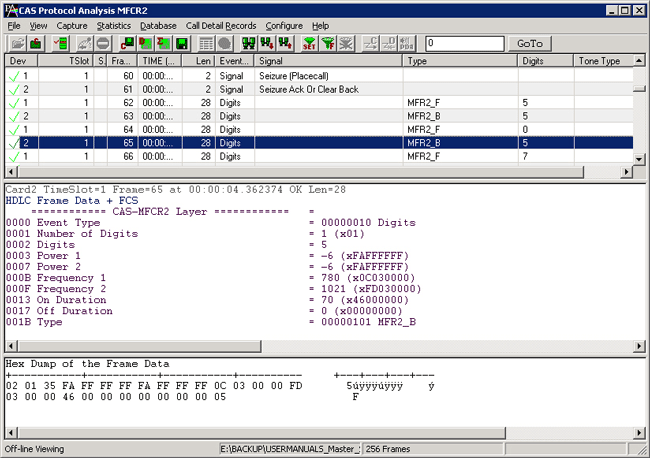
- Capture/ Transmit Dialed Digits (DTMF / MF/ MFR2-f/ MFR2-B Detection and Generation)
The Capture Dialed Digits application provides the capability to capture and display DTMF and MF (along with MFR2-forward and MFR2-backward) digits as
they are received on one or several time slots.
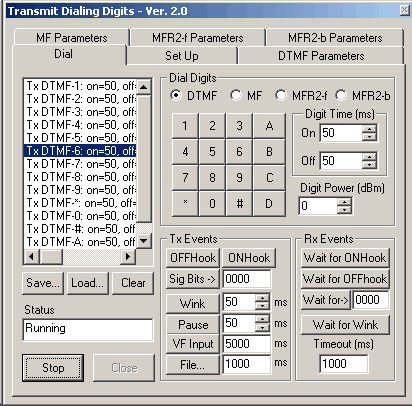
The Transmit Dialing Digits application provides the capability to transmit DTMF, MF, MFR2-forward, MFR2-backward as well as transmitting signal data from
files or from the GL board's VF input, applying signaling bits control, and performing other functions related to call establishment, progress, and termination.
- Physical Layer Monitor
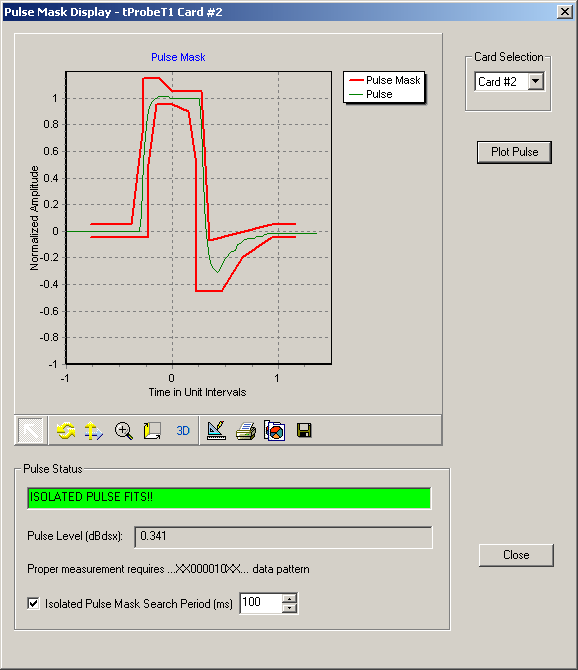
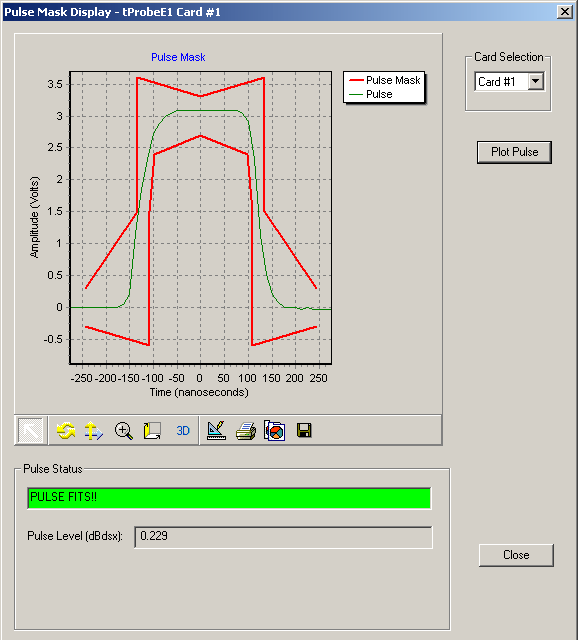
- Pulse Mask Compliance Testing (Available only with tProbe™ and Universal
HD T1 E1 cards)
In T1 E1 transmission systems, signals are dropped, inserted, and accessed at the electrical level at a point called DSX patch panel or at some similar point.
To reliably receive, monitor, or access these signals, they must first conform to a standard that establishes parameters such as pulse width, rise time, amplitude,
allowable undershoot and overshoot. If the pulse meets the pulse mask, then a properly designed receiver should be able to decode the bits transmitted.
GL's Universal T1 E1 Cards provides pulse mask compliance testing using Pulse Mask Display for both T1 and E1 applications. Software has been developed
to determine if the pulse shape fits within a "pulse mask" as specified by standards ITU G.703 and ANSI T1.102-1993. The software is available in both visual
and tabular formats. Tabular formats are convenient for automation and scripted test environments.
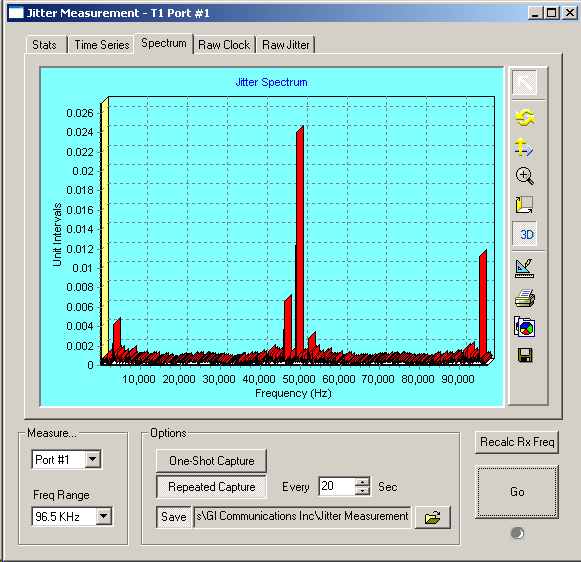
- Jitter Measurement (Available only with tProbe™ and Universal HD T1 E1
cards)
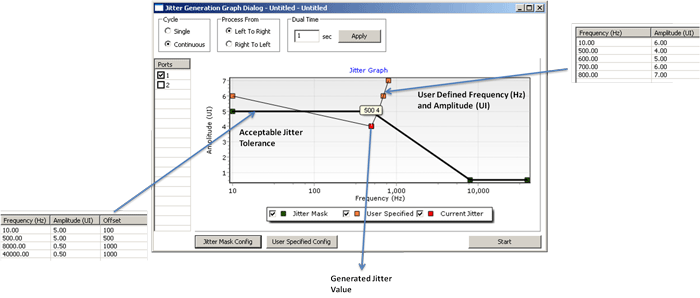
Jitter along with wander and frequency drift are major impairments of clocks in synchronous systems. Jitter is the time discrepancy between the time of
arrival of a clock pulse and its theoretical arrival time. GL's Jitter Measurement module allows evaluation of jitter on either a tick-by-tick or a cumulative basis.
Cumulative jitter is of primary importance as network equipment must cope with the cumulative jitter by the use of appropriately sized “jitter
buffers”. Tick-by-tick measurements provide instantaneous jitter.
- Call Capture and Analysis
- Call Capture and Analysis (Full Duplex Capture w/ Dual Unit)
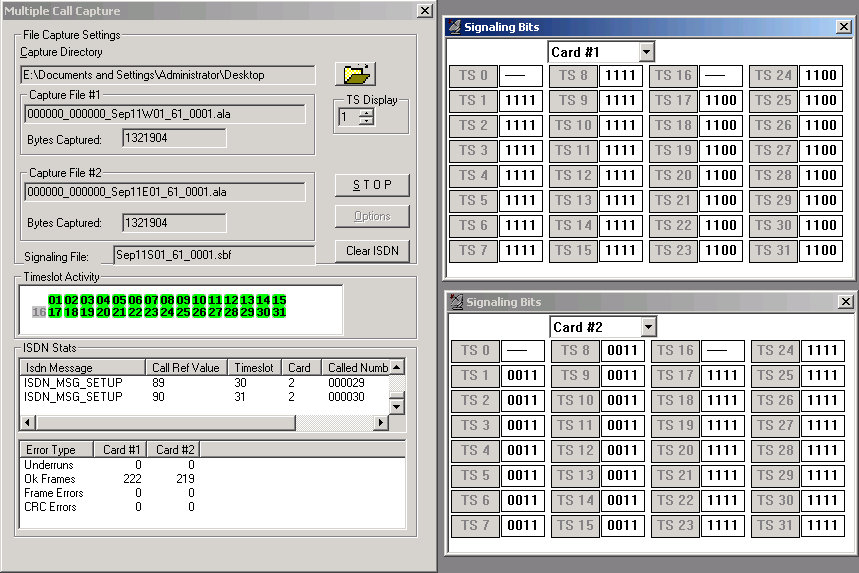
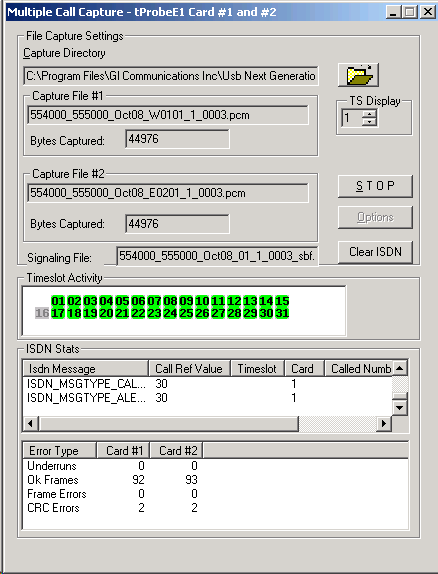
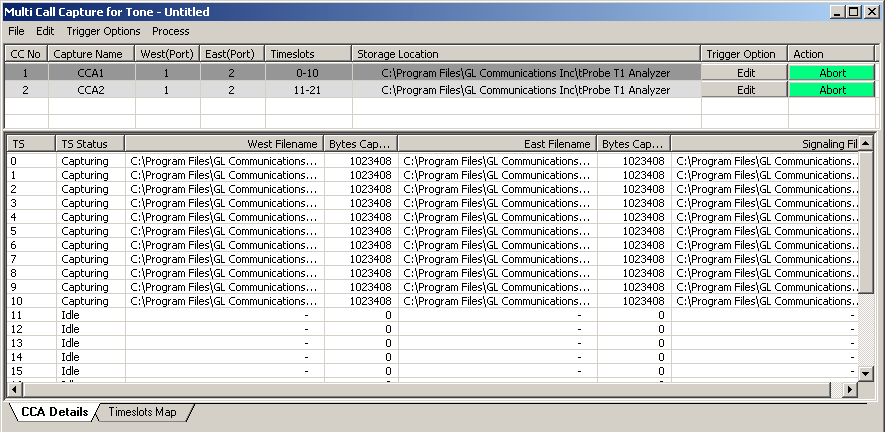
The T1/E1 Call Capture and Analysis Software (XX030) provide the capability to non-intrusively record calls directly from T1/E1 lines. The call capture can be
done manually or auto-triggered based on ISDN/SS7 messages, signaling, traffic such as - voice, digits, tones, fax, modem, and any signal based on
power-level.
- Call Data Record (CDR)
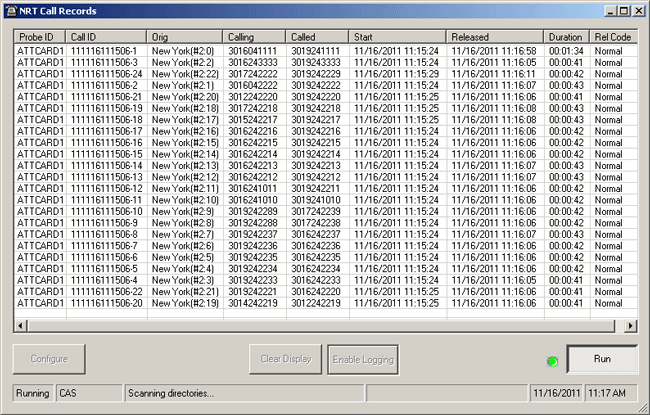
The T1/E1 Call Data Record Software (CDR032) compiles the output of CCA (Call Capture and Analysis) application and (optionally) VBA (Voice Band
Analyzer) application and generates Call Summary and Call Detail types of reports. CDR provides comprehensive information on each and every call occurring
on T1 and E1 lines, including - voice capture, signaling information, alarms and errors occurring during the call, voiceband event information, and categorization
of the call as voice, fax, modem, or data.
- Near Real-time Voice-band Analyzer
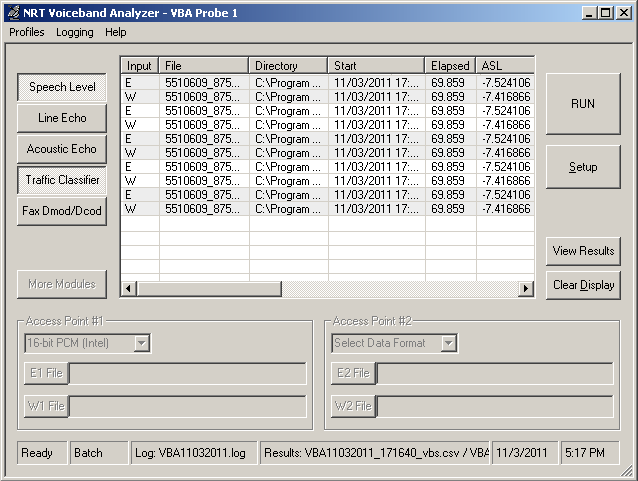
The Near Real-time Voice-band Analyzer (VBA) is an analysis tool for monitoring voice band network traffic over VoIP, TDM and wireless networks. Built-in
algorithms include ITU-T P.56 Active Voice Level analysis, Line Echo (Hybrid) analysis, and Traffic Classifier. It supports A-Law, µ-Law,
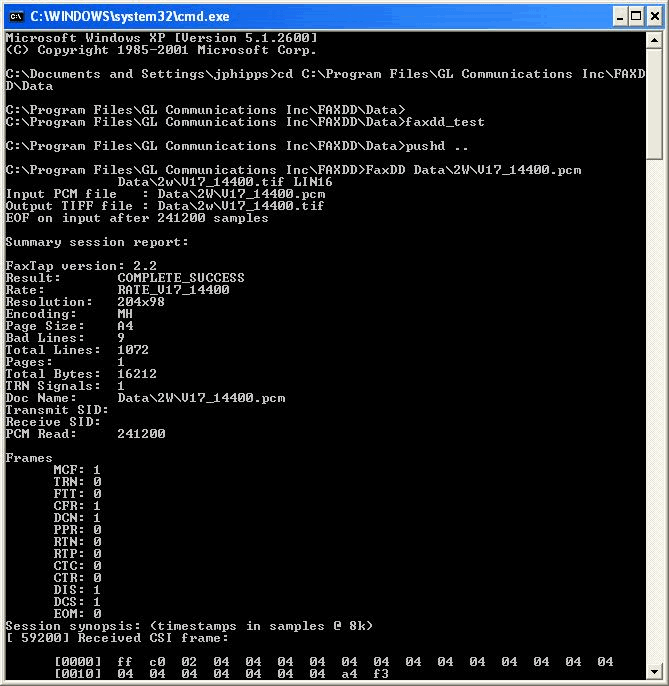
16-bit PCM (Intel), 16-bit PCM (Motorola) and MS Wave file formats. FaxDD™ module within VBA can be used to decode both 2-wire and 4-wire voice band
captures to produce the Fax TIF image and other transmission information.
- Voice Call Management Utility
GLs' Call Management Utility (CMU), coupled with the GLs' T1/E1 Call Capture and Analysis (CCA) application, provides all the necessary management tools
to perform exactly this function.
- Windows Client-Server based Applications
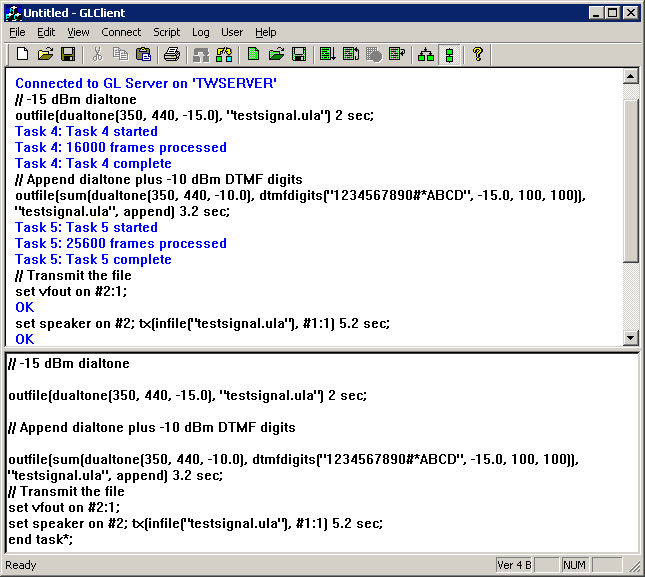
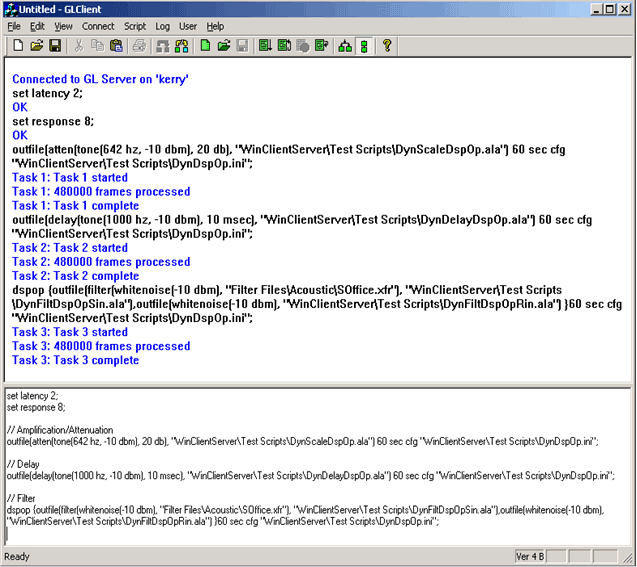
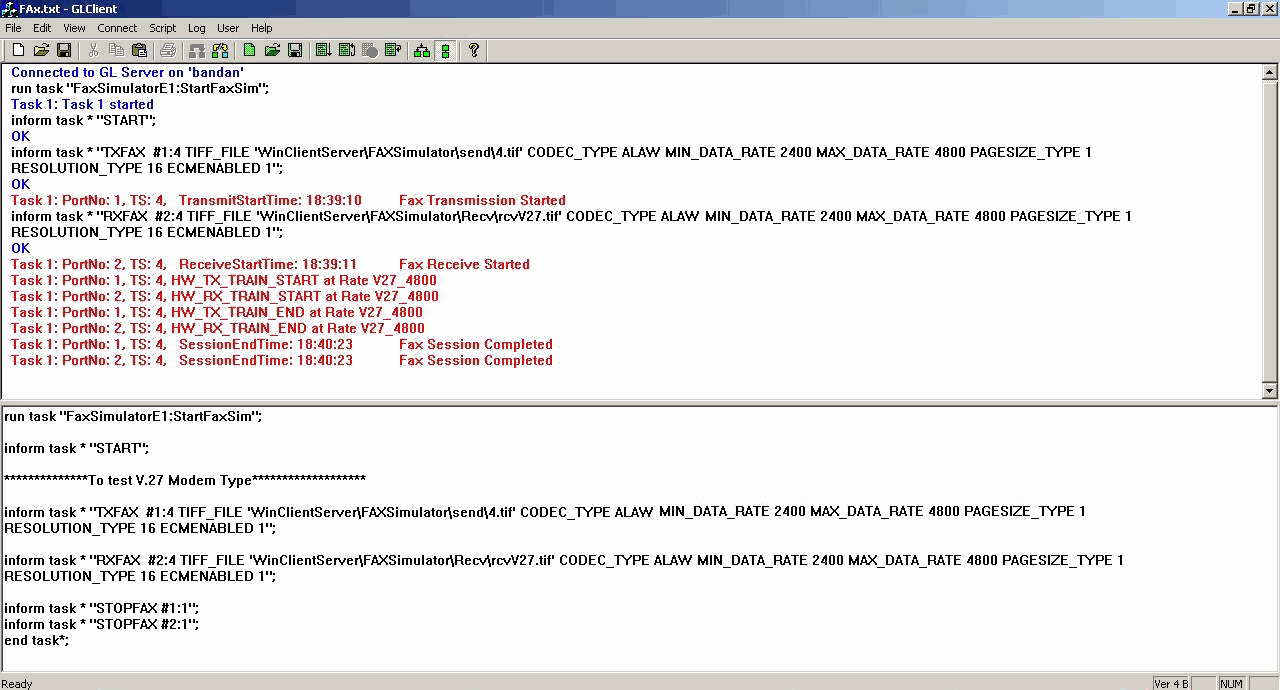
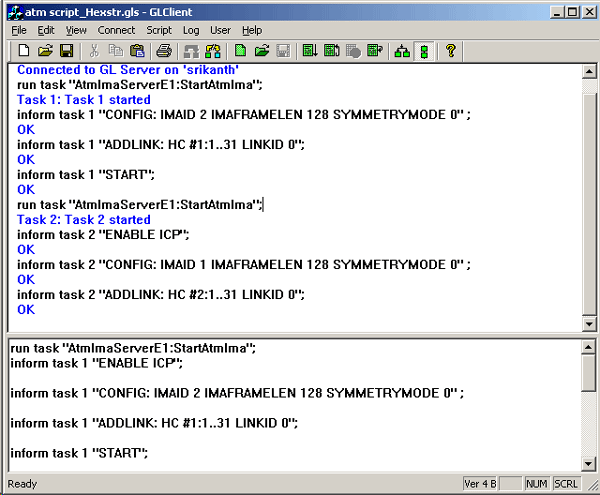
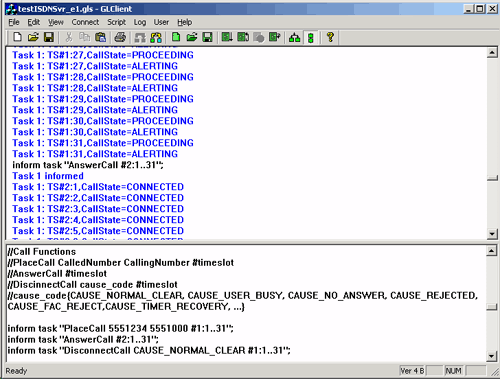
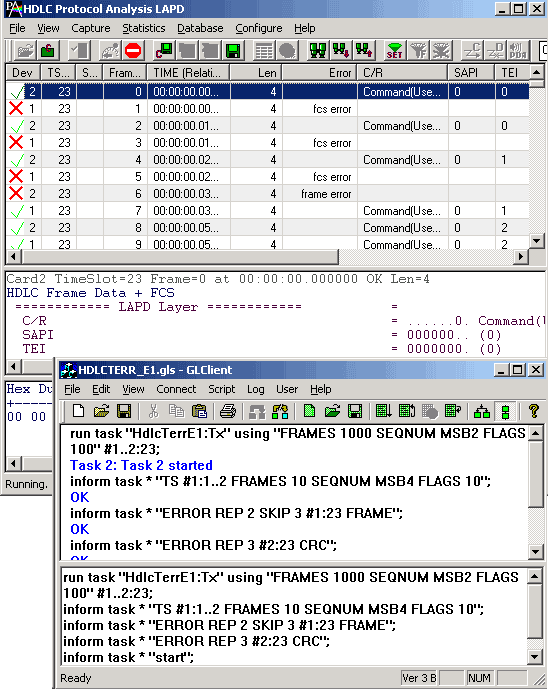
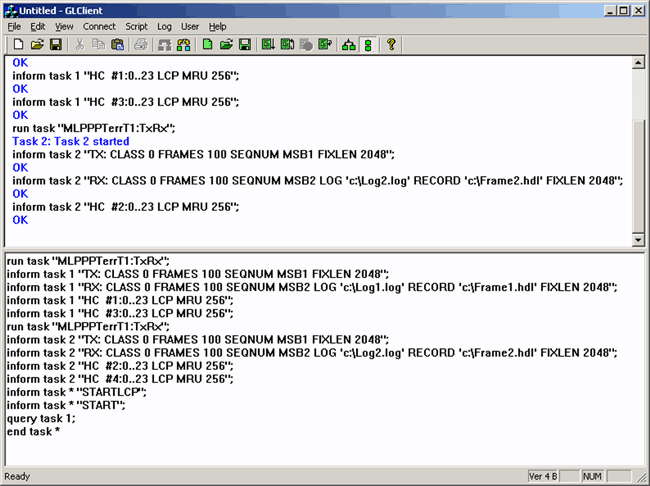
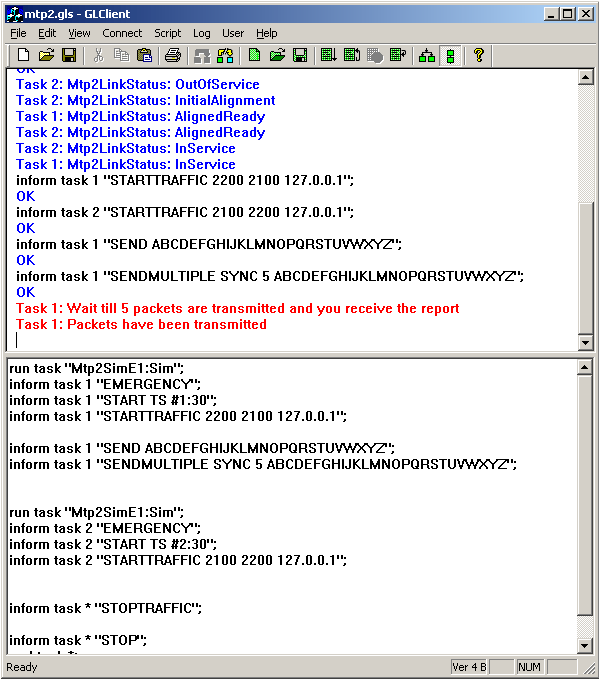
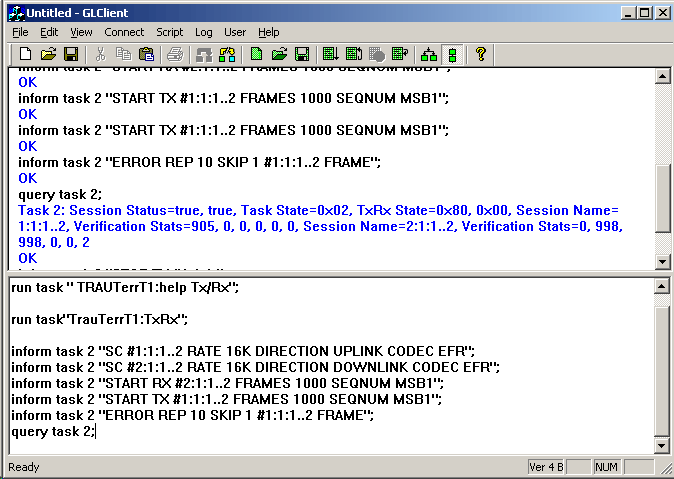
- Windows client server scripted control test and simulation software
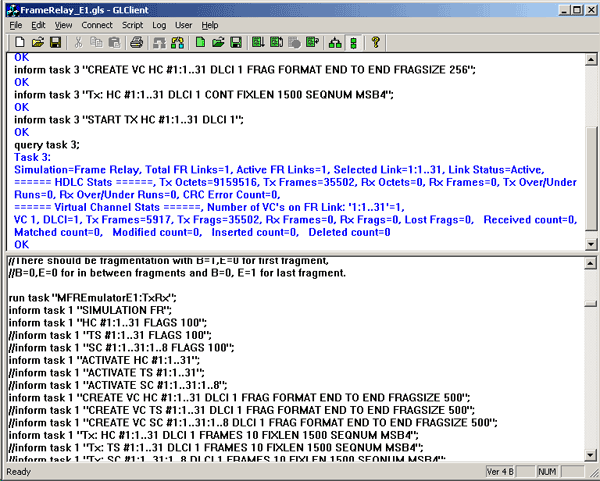
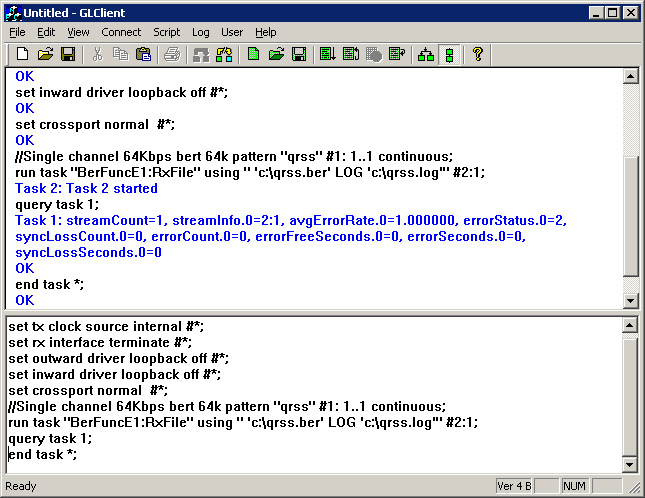
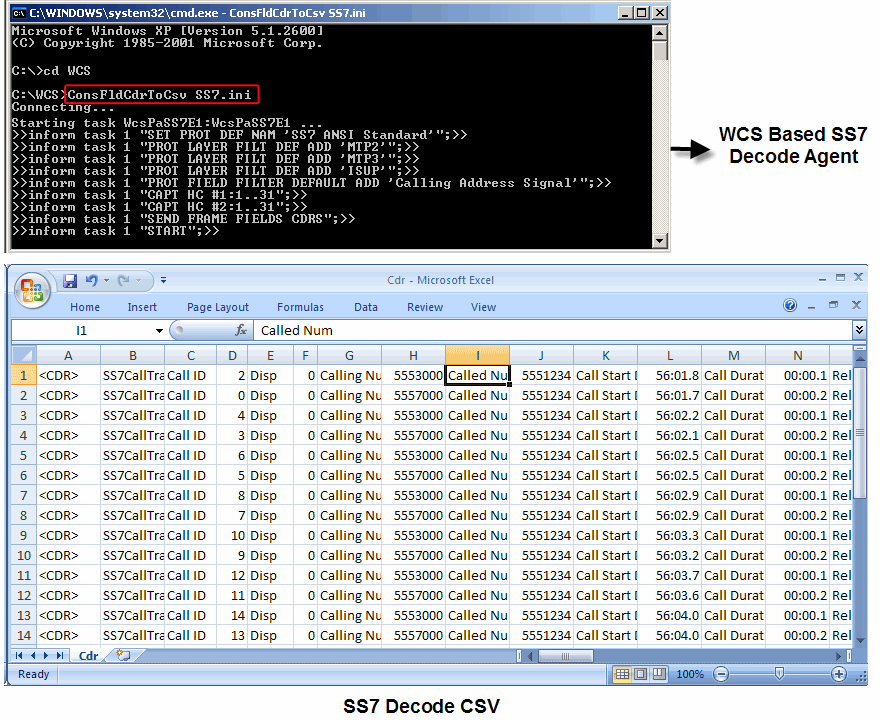
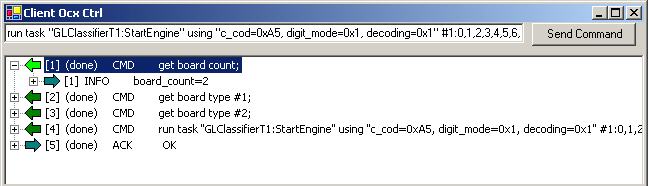
WCS (Windows Client Server) application uses remote C++ client/server mechanism for scripted mode execution option of T1/E1 operations. Various
protocol decode agent modules are supported by WCS application.
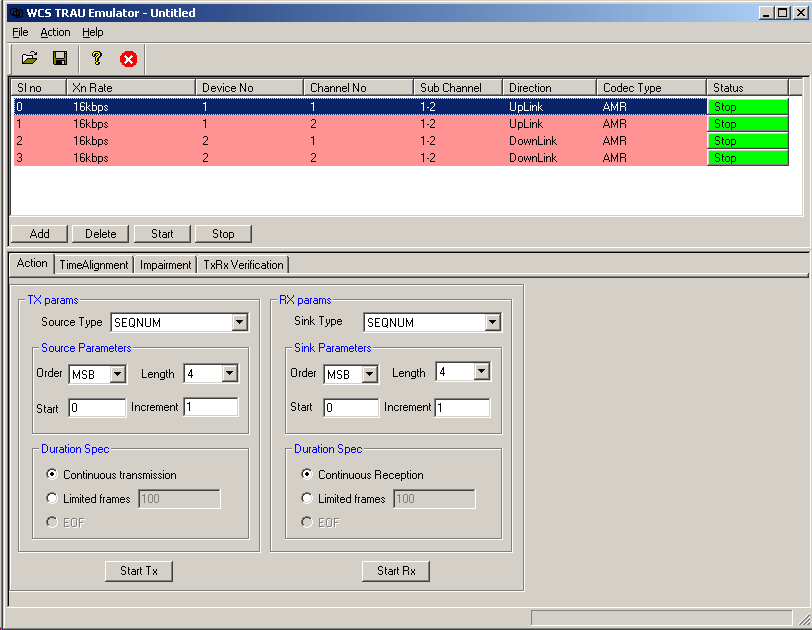
WCS supports transmission/reception of files/digits, Multi-channel BERT, CAS, DSP operations, Dynamic DSP capability, SA Bits, FDL, HDLC, TRAU, MC-MLPPP,
SS7, ISDN TxRx, Multilink-Frame Relay, Inverse Multiplexing over ATM, Pulse Mask and Jitter Measurements, and more.
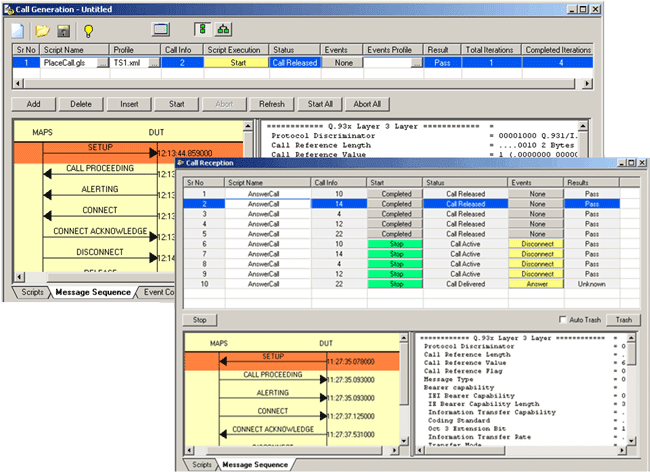
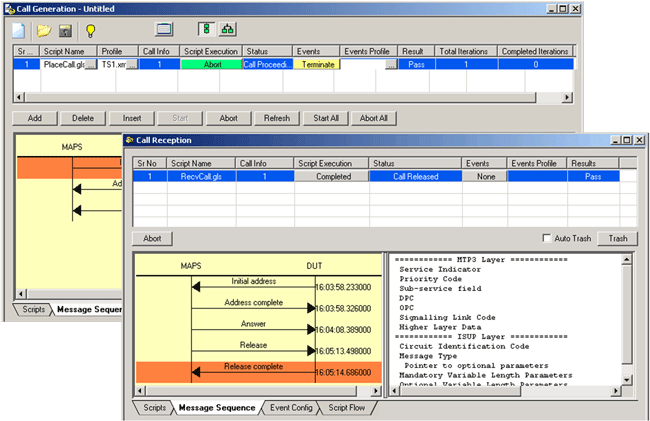
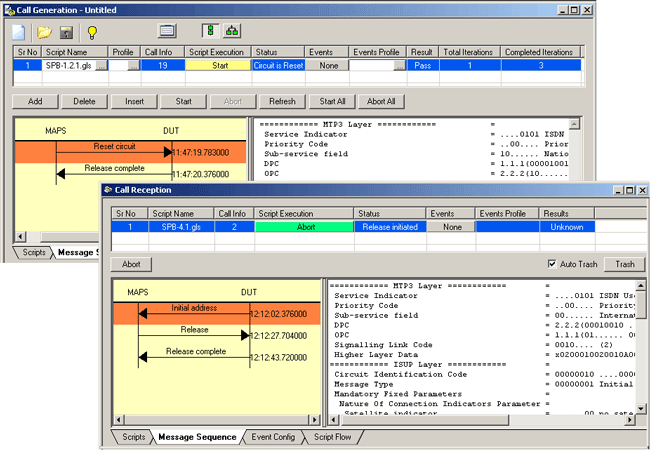
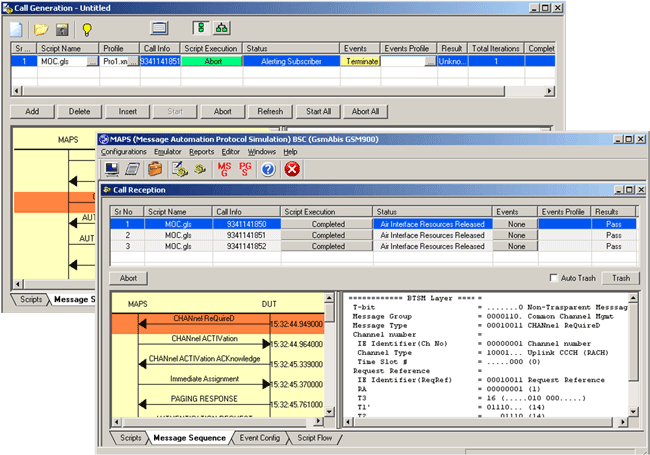
- MAPS™ ISDN Emulator, SS7 Emulator,
GSM A Interface Emulator, GSM Abis Interface Emulator,
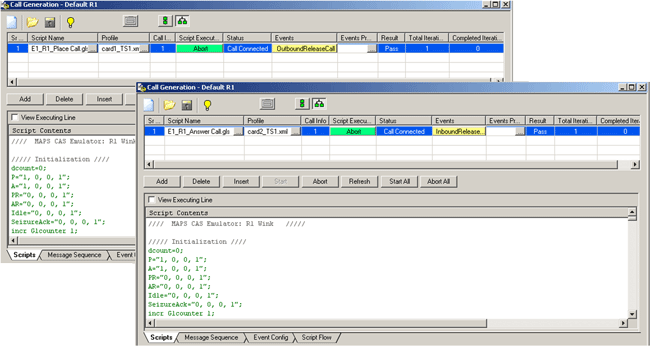
MAP Emulator, CAS Emulator,
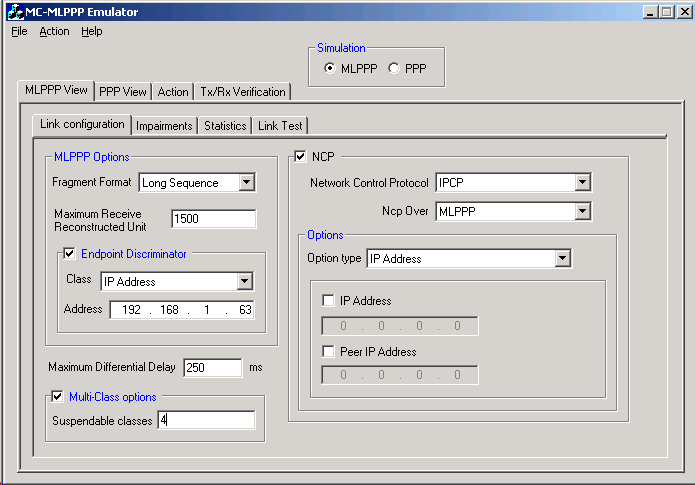
MLPPP Emulator
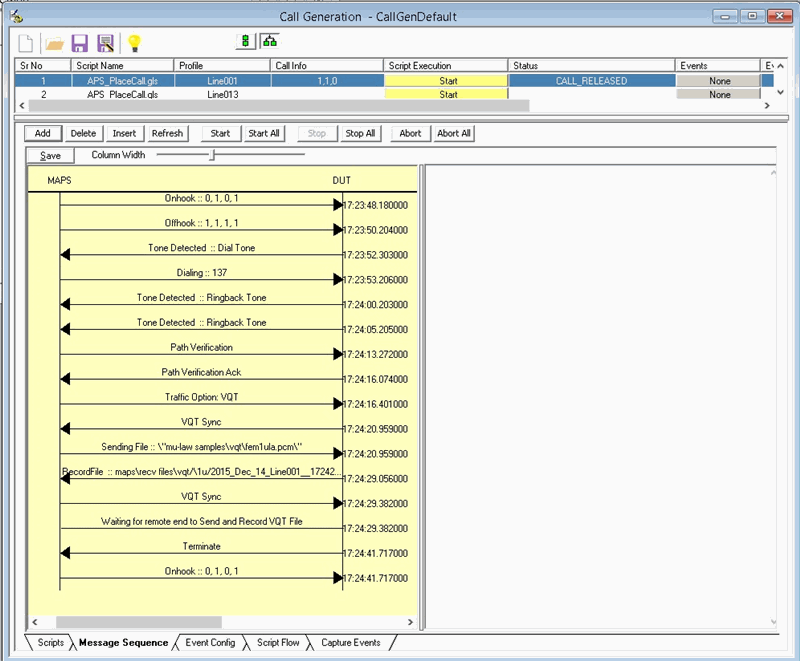
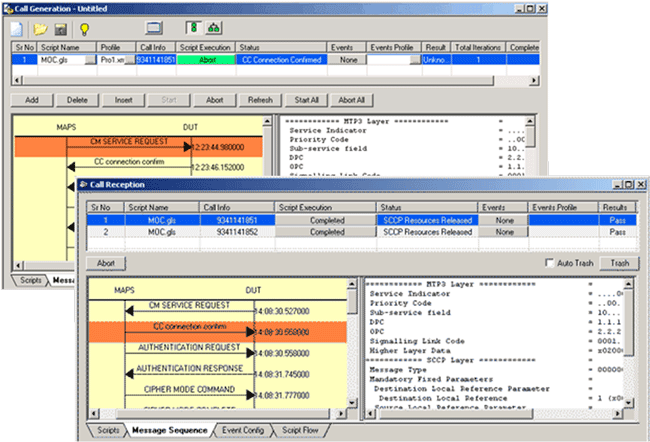
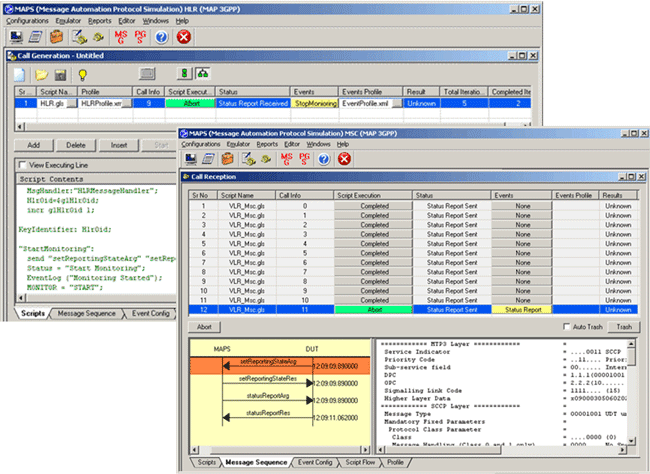
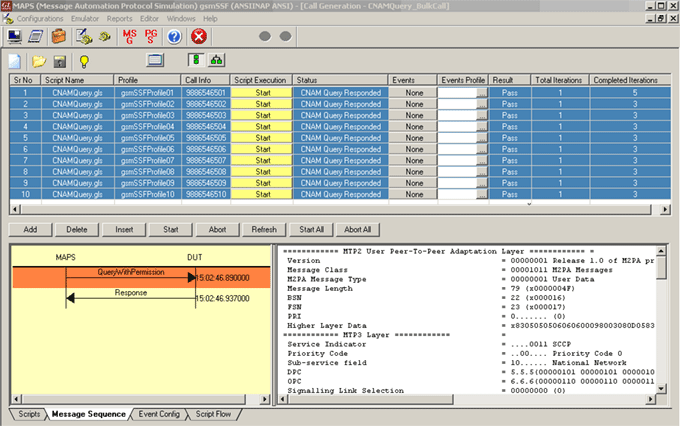
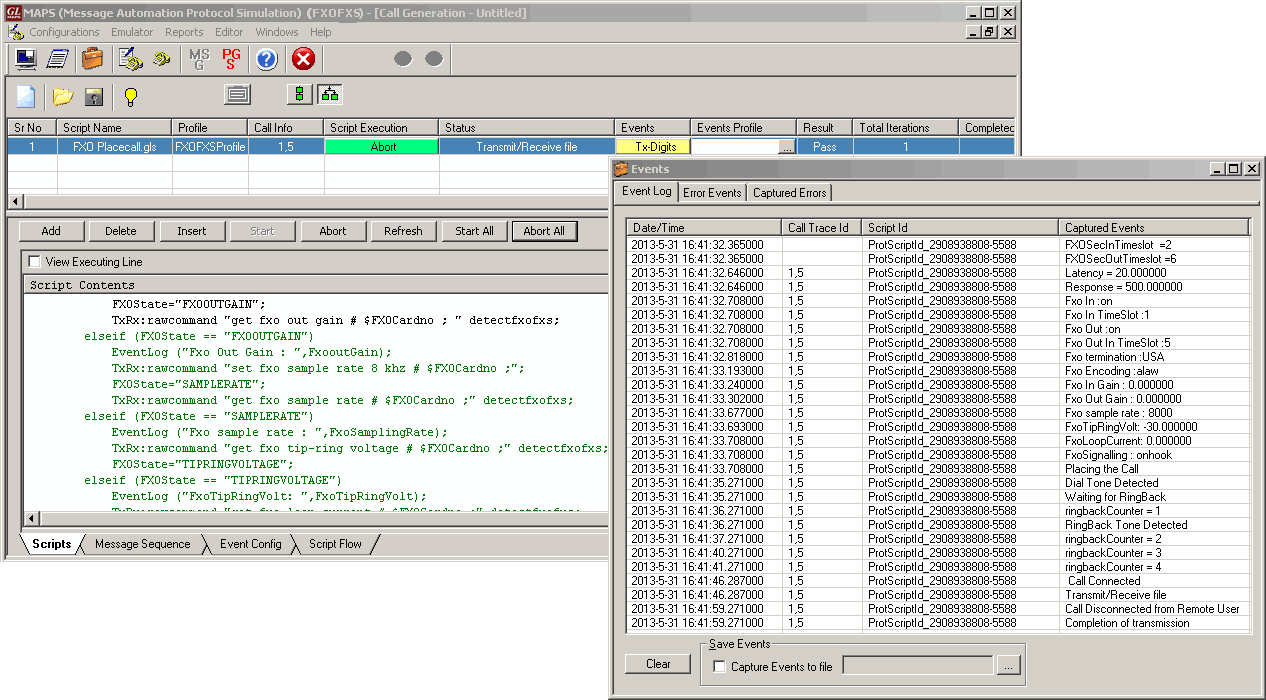
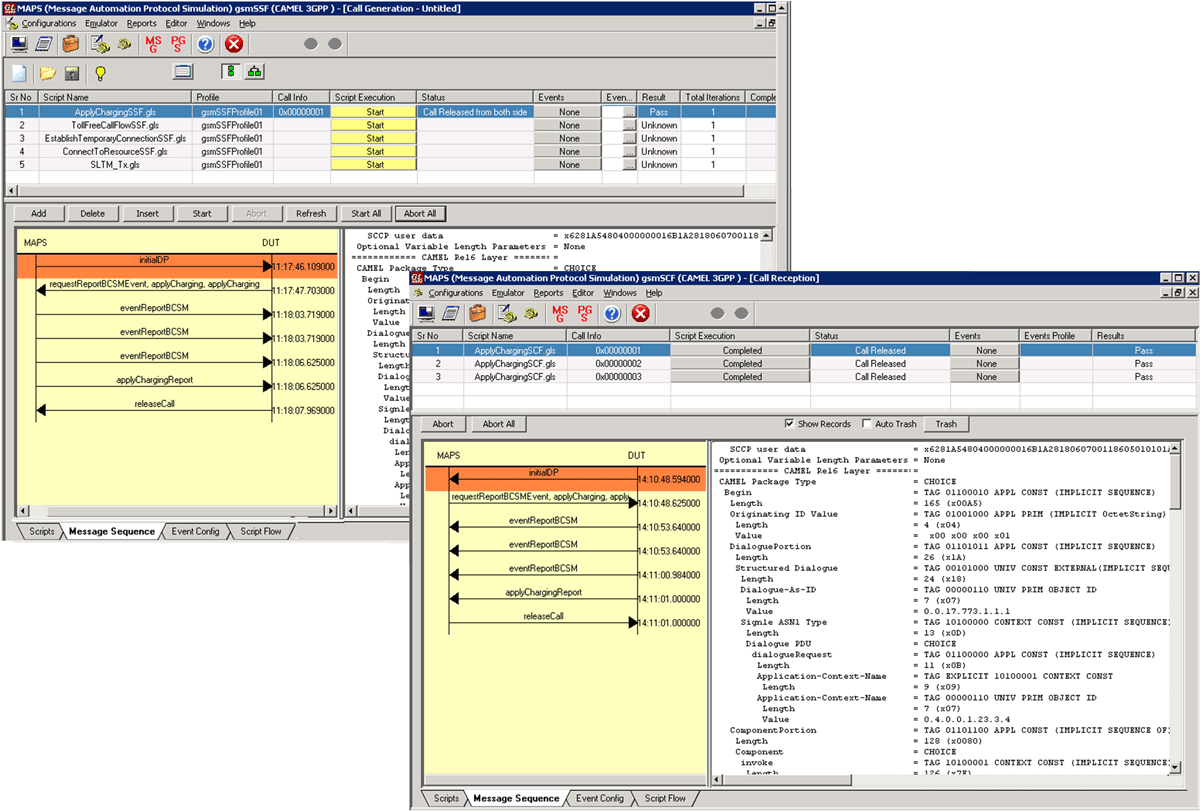
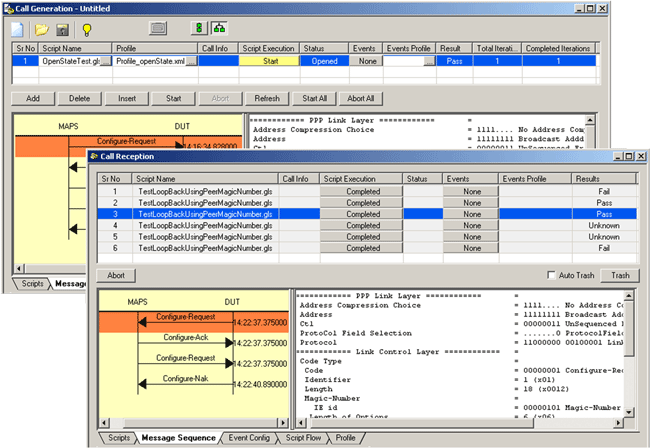
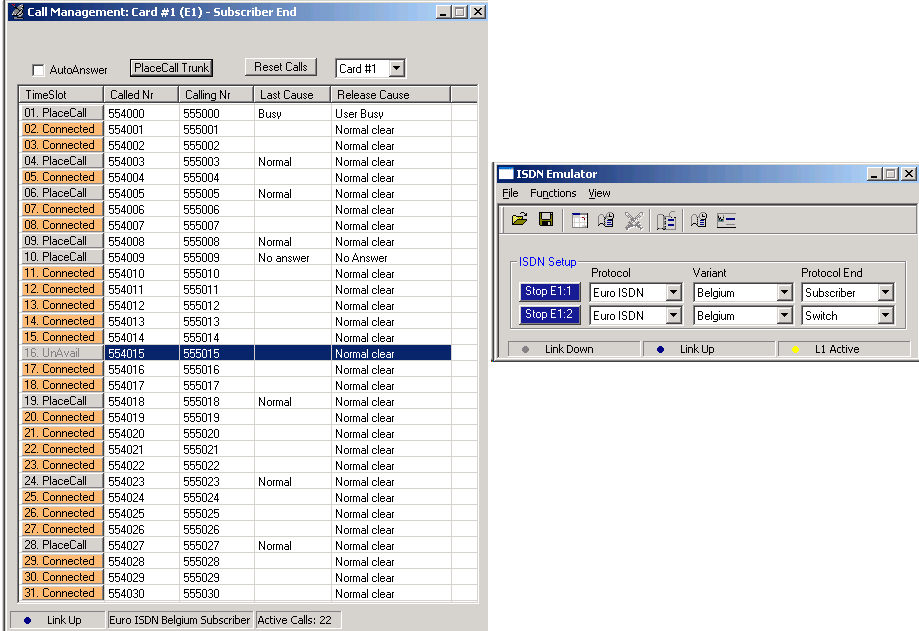
GL's Message Automation & Protocol Simulation (MAPS™) is a powerful Protocol Test platform-supporting a wide range protocols such as SS7, ISDN,
GSM, CAS, MLPPP, MAP and more. This message automation tool covers solutions for both protocol simulation and protocol analysis. The application includes
various test plans and test cases to support the testing of a required real-time scenario. Along with automation capability, the application gives users the
unlimited ability to edit messages and control scenarios (message sequences). "Message sequences" are generated through scripts.
- Echo Canceller Testing Software Options
- Measure Loopdelay/ERL Feature
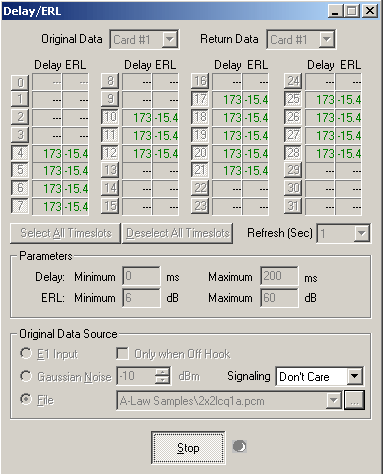
The Measure Loop Delay/ERL application provides the capability to measure and display loop delay and echo return loss (ERL) on one or more time slots.
Multiple instances of this application may be opened simultaneously, allowing measurements to be taken on multiple timeslot ranges and measurement
strategies.
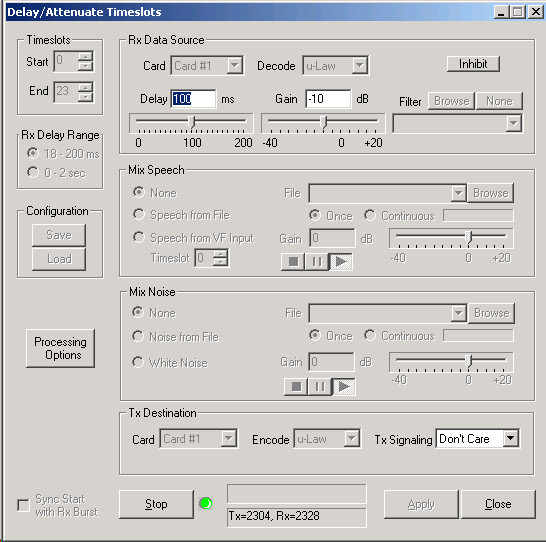
- Delay Attenuate Timeslots
This application allows you to apply delay, attenuation, and/or filtering to a received signal on any number of timeslots.
- Delay/Attenuate-Single Channel (Only for HD Cards & USB Portable T1/E1 Analyzers)
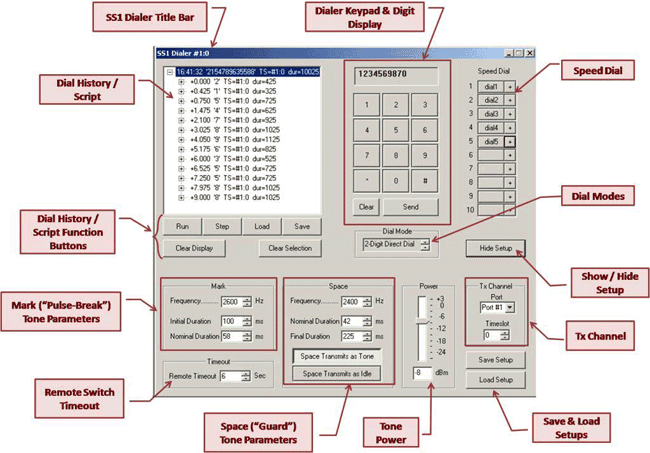
Delay/Attenuate Timeslots - Single Channel Application is an addition to the already existing Echo Test Solutions suite of applications. This application also
facilitates Low Delay Echo Path Modeling. This application also allows you to apply; delay, attenuation (gain), and/or filtering to a received signal on a single
timeslot. You may also mix-in additional signals from other sources, including speech signals inserted via VF input. Speech signals inserted via VF input and
Gaussian noise signals or Tone generated internally within the application.
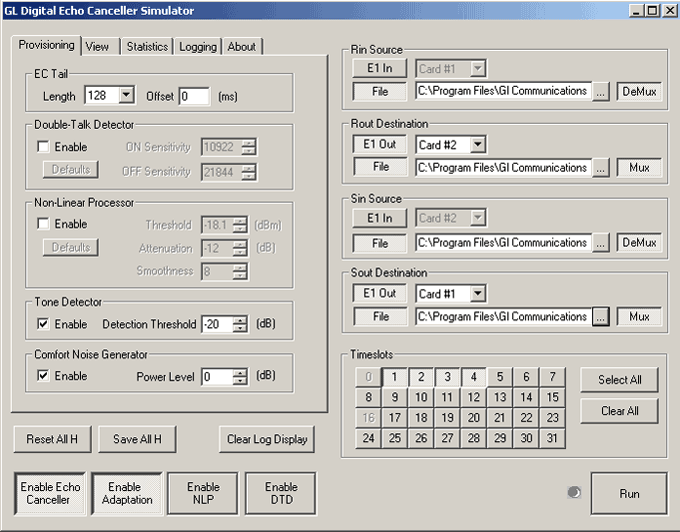
- Digital Echo Canceller Simulator
Digital Echo Canceller is a G.168-2000 and G.165 compliant Echo Canceller. The DEC is licensed software that is shipped as a Windows DLL.
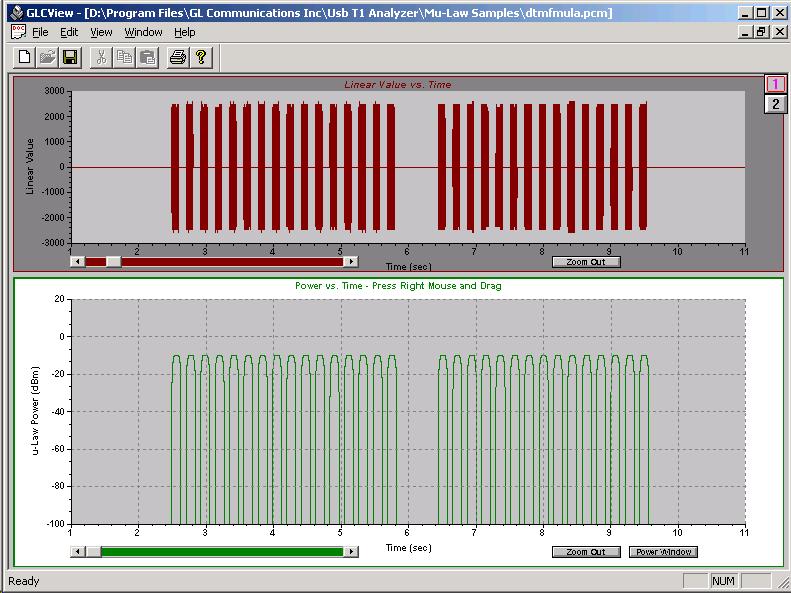
- GLC View waveform viewer
GLC View is a waveform viewing application. It has been designed specifically as a companion application for the GL Communications Inc. T1/E1 Echo
Canceller Test Suite.
- Audio Processing Utility (APU)
Audio processing utility is a pre-processing application used for manipulating the input audio (tones, and voice) files with impairments such as delay,
noise, acoustic echo, line echo, and double talk. An echo file is generated if a corresponding line or acoustic echo filter is specified.
- G.168 Echo Canceller Test Suite for T1 & E1 Systems
GL offers a wide range of G.168 echo canceller compliance testing and measurement software applications to handle everything from quick testing and
verification to testing of very complex scenarios involving large networks. These applications can be used to simulate speech, add background noise, and
measure delays through a variety of network configurations, including conventional telephone networks, networks with satellite connectivity, and wireless
networks.
Solutions offered by GL include, Monitoring of Hybrid and Acoustic Echo and Voice Quality, EC Performance Testing & Live Monitoring, Accurate Field
Characterization of Echo Paths, Impulse Responses, Delay, and Loss Statistics, Field Measurement of Echo Return Loss and Echo Loop Delay, EC Compliance
Testing per G.168 Using Manual Method, Fully Automated Method, & Semi-Automated and Scripted Method, Testing Developmental EC Software
(w/o Hardware), and End-to-End Subjective Testing.
- Voice Enhancement and Voice Quality Testing per G.160 and G.169
Voice Enhancement and Voice Quality Test software is designed to test the functionality of the voice enhancement devices per G.160, including the voice
improvement tests per P800/P861/P862, noise reduction tests, automatic level control tests, and noise compensation tests. VQT (voice quality test)
parameters, PESQ, PAMS, PSQM, etc., are graphically presented to display test results.
Few solutions include Voice Enhancement and Voice Quality Testing and Voice Enhancement Device Test Per G.160 and G.169.
- Protocol Analyzers and Emulators
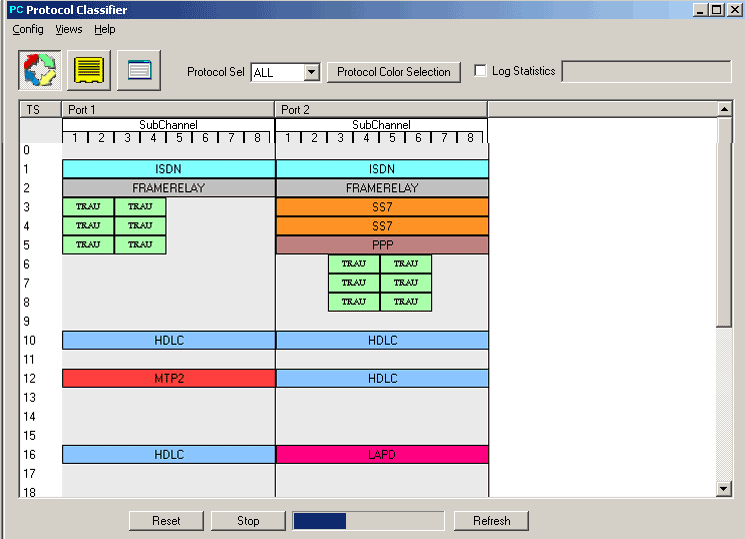
- Protocol Identifier
The Protocol Identifier application can identify various protocols carried on T1 or E1 lines. It is capable of detecting protocols such as ISDN, ATM, HDLC,
MTP2, LAPD, SS7, PPP, GSM, GSM Abis, TRAU, and Frame Relay. The timeslots and the subchannels within timeslots are also identified. Once identified,
detailed analysis can be carried out by individual Protocol Analyzers. This application is helpful in identifying traffic types at a concentration point, DSX patch
panel, or multiplexed facility.
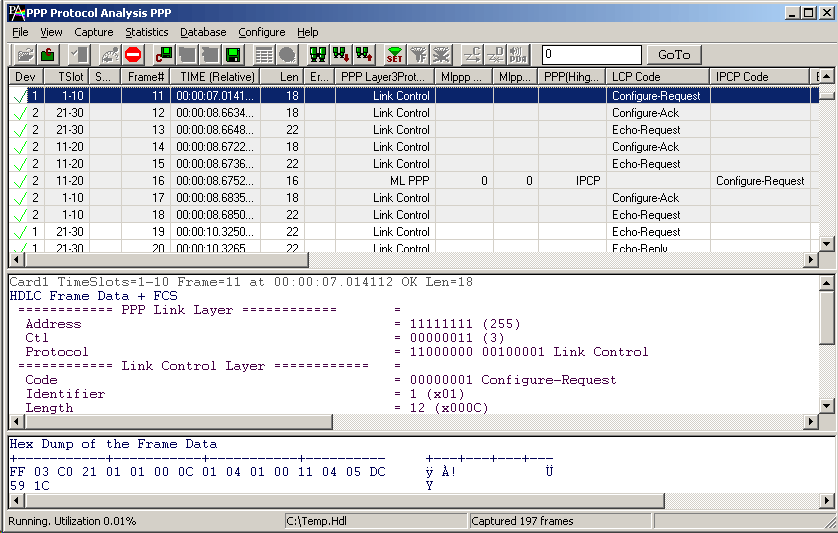
- Protocol Analysis
GL's protocol analyzers can be used to diagnose signaling problems quickly and effectively by analyzing traffic on multi-protocol signaling networks. It
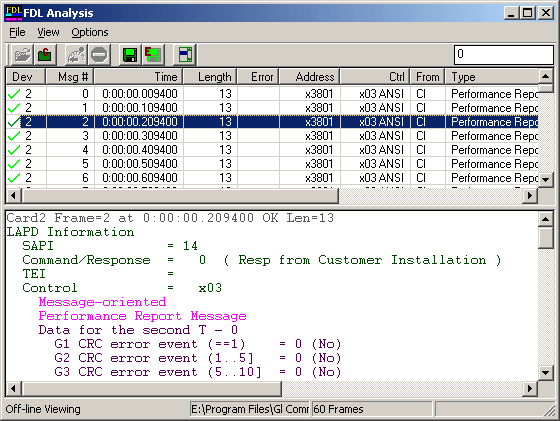
monitors signaling interactions in fixed, access and wireless networks. It analyzes multiple protocols like HDLC, Frame relay, SS7, ISDN, TRAU, ATM, GSM,
GPRS, GR-303, CDMA 2000, E1 Maintenance Data Link, V5.x, ML-PPP, UMTS, Facility Data Link for T1, and SS1. It can make measurements on up to 32 duplex
time slots from up to 4 duplex E1 or T1 trunks. It also allows measurements on Ethernet based traffic. GL's protocol analyzer can be easily configured to
capture fractional E1 or T1 (DS0), sub-channels, hyper-channels and more.
- Protocol Emulation
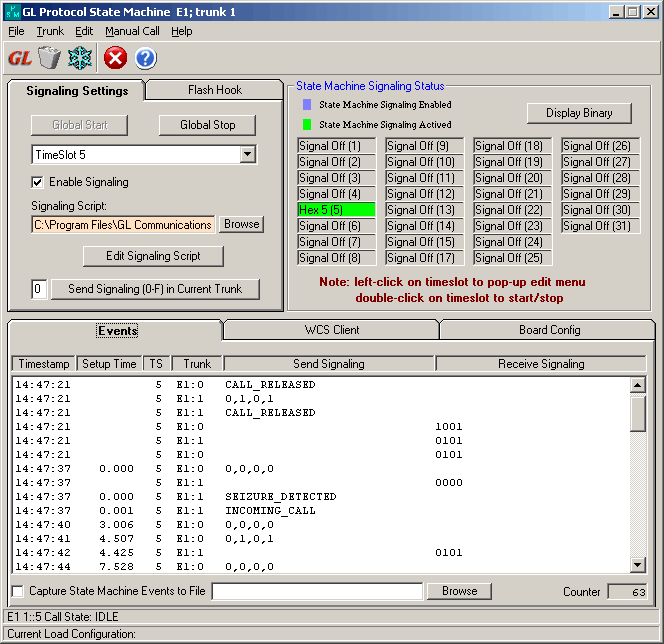
GL's powerful emulation tools in T1E1 analyzer help you simulate network side or user – side of the network and test equipments for proper
functioning. A variety of protocols such as HDLC, FDL, ISDN, TRAU, SS7(ISUP, MAP), SS1, SA-bits HDLC, Multi-link Frame Relay, ATM-IMA, GSM A & Abis,
MLPPP, MLPPP Conformance, CAS and more are supported through GUI based as well as client-server based emulation tools.
- Signaling Transitions Recording
This optional software provides time-stamped indications of all signaling bit changes. The application works with one or multiple Ultra T1/E1 Cards or with
the Single or Dual USB T1/E1 Analyzers. Signaling bit changes are recorded for all timeslots simultaneously.
- DCME Analyzer
The DCME Analyzer is a PC-based system using GL's Ultra E1 Card to connect non-intrusively to the bearer side of DCME equipment. Both real-time and
post-processing of the bearer signal is possible.
- Fax & Modem Analysis Software
GLInsight™ is a state-of-the-art system that provides promptly processed information and analysis of data collected on IP and PSTN networks.
Decoded results are analyzed on a per-network basis. Alternatively, data from two networks can be combined to provide additional insight into the
networks’ behavior.
- Others
- Application Development Tool Kit
The Application Development Toolkit provides application programming interface (API) for custom T1/E1 software development.
- Real-time strip chart software
Real-time Strip Chart option allows users to capture and analyze signaling as well as PCM data captured at a specified timeslot.
- Real-time Multi-Channel Audio Bridge
The Multi-Channel Audio Monitor is an optional (XXX017) application available with the T1/E1 Analyzer. Audio monitoring application allows users to insert
speech on T1/E1 lines using microphone and listen to the speech on T1/E1 lines using speaker (requires internal or external sound card to be connected to
the PC).
The speech can be inserted or extracted on selected T1/E1 card, channel and sub channel. It supports A-law, Mu-law, G.726 40 Kbps, 32 Kbps, 24 Kbps,
and 16 Kbps data rates. Optional Mono and Stereo audio modes are also available.
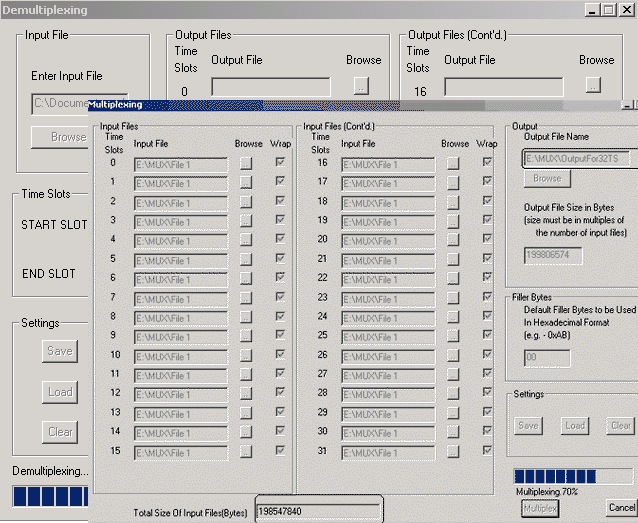
- Multiplex/Demultiplex
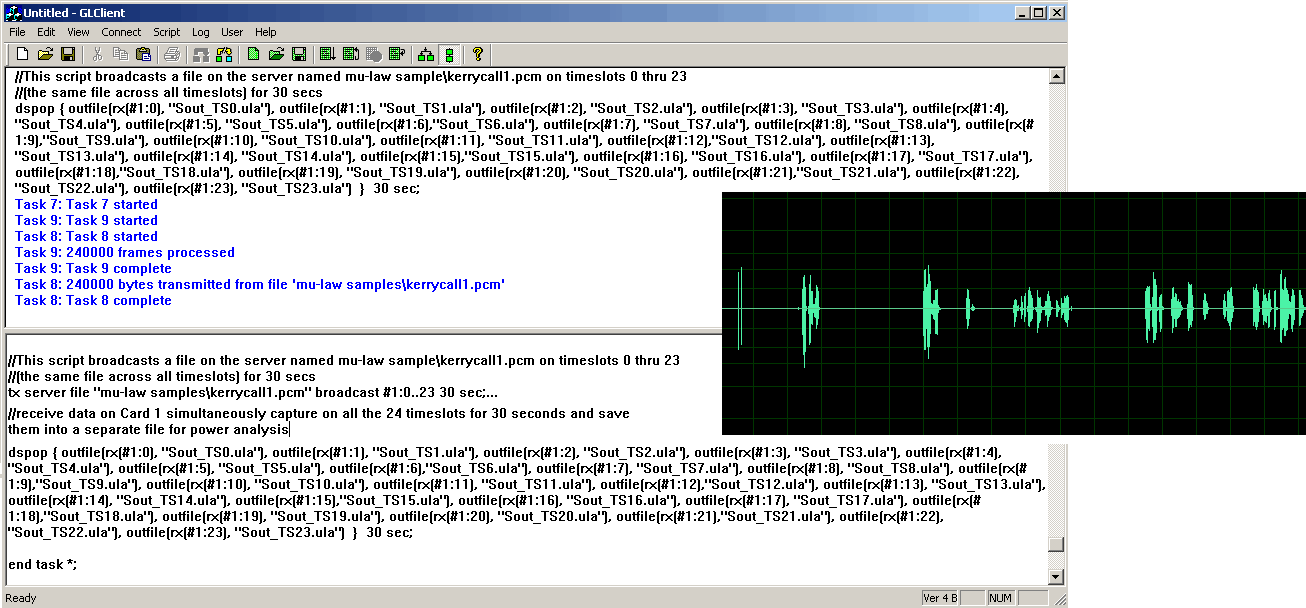
Multiplex and Demultiplex software provides the capability to multiplex individual files on different timeslots into one aggregate output file and the reverse
process of demultiplex one aggregate file into individual timeslot files
- Voice Quality Assessment
Voice Quality Assessment tool is used for clear, uninterrupted voice for all types of networks carrying voice traffic. Typical network applications include
VoIP systems, PSTN, ATM networks, Frame Relay, and Wireless Networks.
- T1/E1 Traffic Classifier
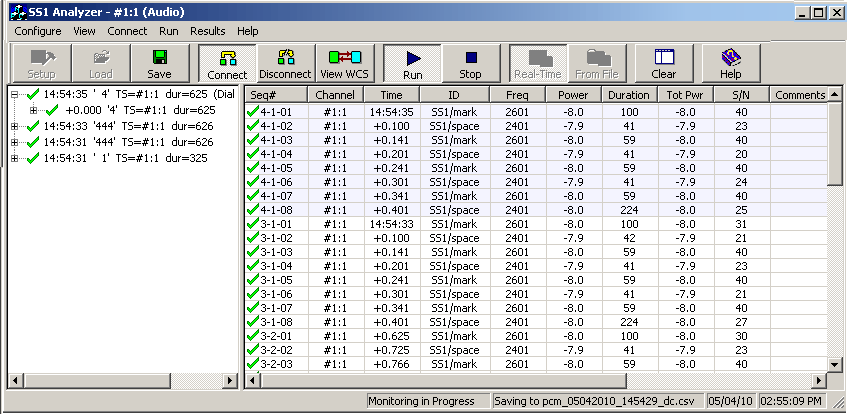
Traffic Classifier application can analyze the traffic on a T1 or E1 line. It can analyze and classify various traffics such as voice, fax, data, tones (dial tone,
ring-back tone, busy tone etc) as well as identify dialing digits and other events happening on a T1/E1 network.
Screenshots
With Basic Software:
Monitoring Applications
Intrusive Test Applications
With Optional Software:
Buyer Guide
Click
here to download the Buyers Guide for T1E1 Basic and Optional Applications.
Please Note: The XX in the Item No. refers to the hardware platform, listed at the bottom of the Buyer's Guide, which the software will be running
on. Therefore, XX can either be UTE, UTA, UEA , HTE, HUT, HUE, PTE, PTA, PEA, ETA, or EEA depending upon the hardware.
| Item No. |
Item Description |
| |
Platforms |
FTE001
ETE001
ETA001
EEA001 |
QuadXpress T1E1 Main Board (Quad Port– requires additional licenses)
OctalXpress T1E1 Main Board plus Daughter Board (Octal Port– requires additional licenses)
Basic Software for T1 (one required) w/ Basic Software for WIN XP / 7
Basic Software for E1 (one required) w/ Basic Software for WIN XP / 7 |
UTE001 UTA001 UEA001 SA000c |
Dual Laptop T1/E1 Hardware USB Base Unit
Basic Laptop T1 Software
Basic Laptop E1 Software
High Stability Internal Clock Option |
HTE001 HUT001 HUE001 SA000a |
HD Universal Dual T1/E1 Card
HD Universal Card Basic T1 Software
HD Universal Card Basic E1 Software
High Stability Internal Clock Option |
PTE001 PTA001 PEA001 SA000c |
tProbe™ T1 E1 Base Unit
tProbe™ Basic T1 Software
tProbe™ Basic E1 Software
High Stability Internal Clock Option |
| |
|
| |
Optional Software |
| XX010 |
Application Development Tool Kit (Programmer's Guide) |
| XX012 |
Pulse Shape and Jitter Measurement |
| XX017 |
Real-Time T1/E1 Multi-Channel Audio Driver |
| XX018 |
Multi-Channel BERT Software |
| XX019 |
Transmit/Receive File Utility Software |
| XX020 |
Record/Playback File Software |
| XX021 |
FDL Software for ESF (T1 only) |
| XX022 |
DTMF/MF Detector & Generator Software |
| XX023 |
T1 A-law or E1 µ-law Software |
| XX024 |
Real-Time Strip Chart |
| XX050 |
Signaling Bits Recorder Software |
| |
|
| |
Call Capture and Analysis Software Options |
| XX030 |
T1 or E1 Call Capture and Analysis Software
(also includes Goldwave Software (SA048)) |
| XX031 |
T1 or E1 Call Capture and Analysis Software w/ Traffic Activated Trigger Option |
| CDR032 |
Call Data Records |
| CM0031 |
Call Management Utility |
| |
|
| |
Voice Band Analysis Software Options |
| VBA032 |
Voice Band Analyzer |
| VBA033 |
Two-Wire Echo Analysis for VBA |
| VBA036 |
Traffic Analysis for VBA |
| |
|
| |
Windows Client-Server Software Options |
XX600
XX605
XX610
XX620
XX625
XX626
XX629
XX630
XX631
XX634
XX635
XX636
XX640
XX641
XX643
XX645
XX646
XX647
XX648
XX649
XX649
XX651
XX652
XX654
XX650
XX655
XX660
XX670
XX680
XX690
XX691
XX692
XX693 |
Basic Client/Server Scripted Control Software
Simplified Audio Client
w/ File based Record/Playback
Transmit/Detect digits
w/ CAS Simulator
w/ SS1 Signaling Analyzer
w/ISDN Emulation
w/ DSP Capability
w/ Dynamic DSP Capability
High Throughput HDLC Tx/Rx Test
High Throughput PPP Tx/Rx Test
High Throughput MC-MLPPP Tx/Rx Test
File based HDLC Record/Playback
File based HDLC Remote Record/Playback
w/ MTP2 Emulation
w/ TRAU Engine (GSM - Abis)
w/High Throughput TRAU Tx/Rx Test
Scripted ISUP Conformance Testing (MAPS™ SS7 Conformance)
Scripted ISDN Simulator (MAPS™ ISDN)
Scripted ISUP Emulation (MAPS™ SS7)
Scripted MAP Emulation (MAPS™ MAP)
w/ SA bits Encode/Decode
Scripted CAS Simulator (MAPS™ CAS)
Scripted MLPPP Conformance Testing (MAPS™ MLPPP)
Inverse Multiplexing for ATM Emulation
MultiLink Frame Relay Emulation w/ Tx/Rx Test
w/ FDL
w/Multi-Channel Rx BERT
w/Traffic Classifie
SS7 Protocol Decode Agent
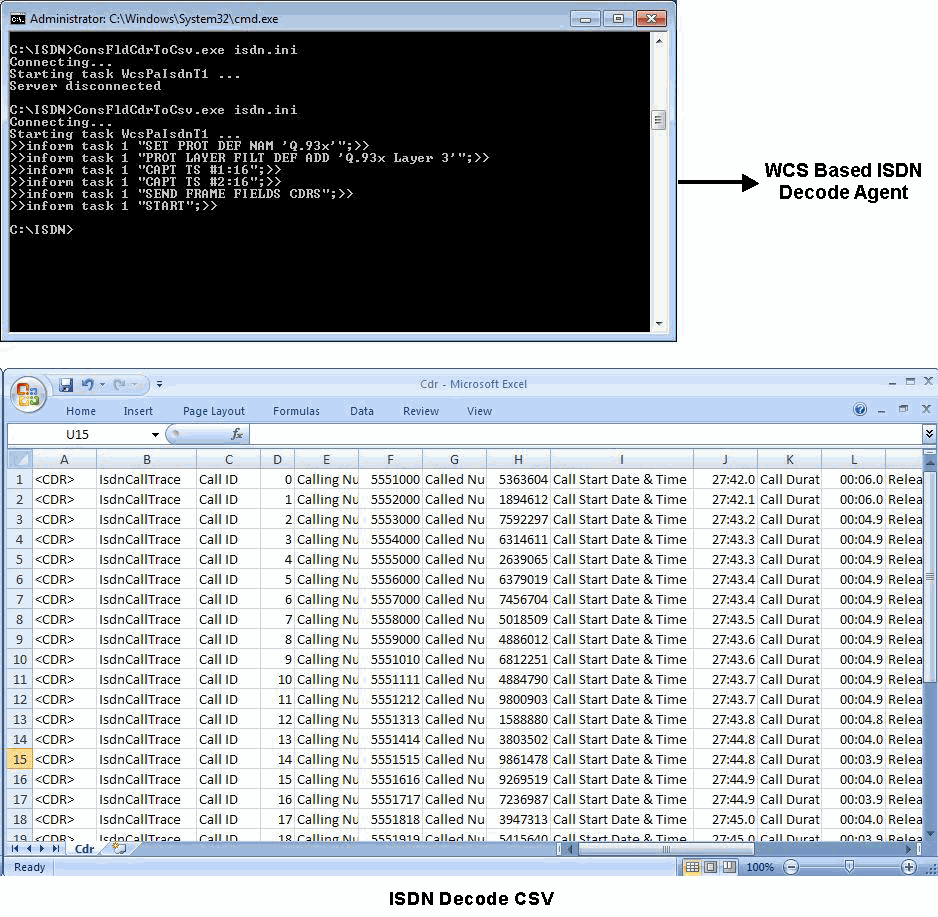
ISDN Protocol Decode Agent
Scripted GSM “A” Interface Emulation (MAPS™ GSM A)
Scripted GSM Abis Interface Emulation (MAPS™ GSM Abis)
|
| |
|
| |
Echo Canceller Testing Software Options |
| XX062 |
Echo Path Delay/Loss Simulation Software |
| XX063 |
Echo Path Delay/Loss Measurement Software |
| XX065 |
G.168 Test Suite for T1 & E1 Echo Cancellers (Manual Testing Software and Procedures) |
| XX066 |
Digital Echo Canceller |
| XX067 |
Automated Echo Canceller Testing w/o VQT
w/ VQT (PAMS, PSQM)
w/ VQT (PESQ upgrade) |
| XX068 |
Semi-Automated and Scripted Echo Canceller Testing Suite
w/ C++ Client w/ LabView Client w/ Matlab Client |
| XX069 |
Automated Voice Enhancement Device (VED) Test Suite per G.160 |
| PKB070 |
Audio Processing Utility |
| PKB080 |
Automated Echo Canceller Testing TDM-VoIP |
| PKB081 |
Automated Acoustic Echo Canceller Compliance Testing (Partial Tests) |
| AEC001 |
AutoEC Test Viewer |
| EMU037 |
Echo Measurement Utility (EMU) Software |
| |
|
| |
Protocol Analyzers and Emulators |
| XX089 |
Protocol Identifier |
XX090
OLV090 |
T1 or E1 Real-Time HDLC Analysis/Playback/Simulate Software
Offline/ Remote HDLC Analyzer |
XX095
OLV095 |
E1 Real-Time SA Bit HDLC Analysis
Offline SA Bit HDLC Analyzer |
XX100
OLV100 |
T1 or E1 Real-Time ISDN Protocol Analyzer
Offline / Remote ISDN Analyzer |
| XX105 |
T1 or E1 Real-Time ISDN Protocol Emulator |
XX110
OLV110 |
E1 Real-Time V5.x Protocol Analyzer
Offline / Remote V5.x Analyzer |
XX120
OLV120 |
T1 or E1 Real-Time SS7 Protocol Analyzer
Offline / Remote SS7 Analyzer |
XX130
OLV130 |
T1 or E1 Real-Time Frame Relay Protocol Analyzer
Offline/ Remote Frame Relay Analyzer |
XX135
OLV135
XX136
OLV136 |
ML-PPP Analyzer
Offline ML-PPP Analyzer
PPP and MLPPP Packet Analysis
Offline PPP and ML-PPP Packet Analysis |
XX140
OLV140 |
T1 or E1 Real-Time GR303 Protocol Analyzer
Offline/ Remote GR303 Analyzer |
XX142
OLV142 |
CDMA2000 Protocol Analyzer
Offline CDMA2000 Analyzer |
XX150
OLV150
XX151
OLV151 |
T1 E1 Real-Time GSM Protocol Analyzer
Offline GSM Analyzer
w/Motorola Mobis Decode
with Motorola Mobis decodes |
XX153
OLV153 |
T1 E1 Real-Time TRAU Protocol Analyzer
TRAU Traffic Playback
TRAU Toolbox™
Offline TRAU Analyzer |
XX155
OLV155 |
T1 or E1 Real-Time GPRS Protocol Analyzer
Offline GPRS Analyzer |
XX160
OLV160
XX162 |
T1 or E1 Real-Time ATM Analyzer
Offline ATM Analyzer
ATM BERT |
XX165
OLV165 |
UMTS Analyzer
Offline UMTS Analyzer |
| |
|
| |
Network Monitoring Software Options |
| XX170 |
Network Surveillance Software |
| XX171 |
NetSurveyor Agent Toolkit |
| |
|
| |
DCME Related Software Options |
| DC007 |
DCME Test & Analysis Software w/Desktop PC |
| DC008 |
DCME Test & Analysis Software w/Portable PC |
| |
|
| |
Miscellaneous Software Options |
| SA026 |
"Adobe Audition" Software |
| SA048 |
Goldwave Software |
| SA021 |
File Edit Software |
| STE40 |
Mux/Demux Software |
| STE50 |
Sample Traffic Files |
| For more detailed information on software, see the Product List |
| |
|
| |
Accessories |
| |
Recommended accessories for Dual Portable USB T1/E1 Units |
| |
|
| |
Logistics |
| SH001 |
Shipping and Handling, Domestic - Card Only |
| SH002 |
Shipping and Handling, Domestic - System with PC |
| SH002a |
Shipping and Handling, Domestic; Per System w/ Laptop PC |
| SH002b |
Shipping and Handling, Domestic; For Rack PC |
| SH003 |
Shipping and Handling, International - Card Only |
| SH004 |
Shipping and Handling, International - System with PC |
| SH004a |
Shipping and Handling, International; Per System w/ Laptop PC |
| SH004b |
Shipping and Handling, International; Per System w/ Rack PC |
| SH005 |
Wire Transfer Charge |
| SH006 |
Extra Charge for Overnight Delivery - Domestic |
| SH007 |
Handling Charge Only |
| SH008 |
Certificate of Origin Charge for Shipments to Israel |
| LOC001 |
Letter of Credit Fee |
|