Overview
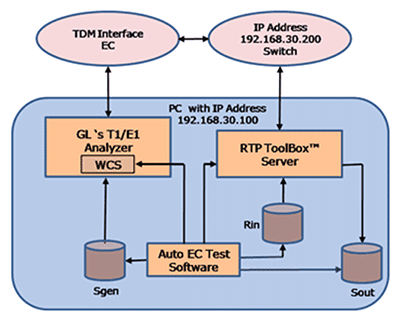
AutoEC Test TDM-VoIP application is designed to work with the TDM and VoIP networks. It uses GL’s T1/E1 Analyzer on TDM side of the gateway and RTP Toolbox™ on IP side of the gateway to perform the G.168 compliance test. It tests EC conformance to the ITU-T Specifications, G.168 (01/2007), G.168 (08/2004), G.168 (06/2002), and G.168 (04/2000).
AutoEC Test application performs the following functions –
- Generates the Rin file and Sgen file (double talk files)
- Generates the script file for WCS echo path simulation
- Generates the script file for the RTP Toolbox server to transmit stimulus file and receive the Sout file
- Executes the batch file to perform the test
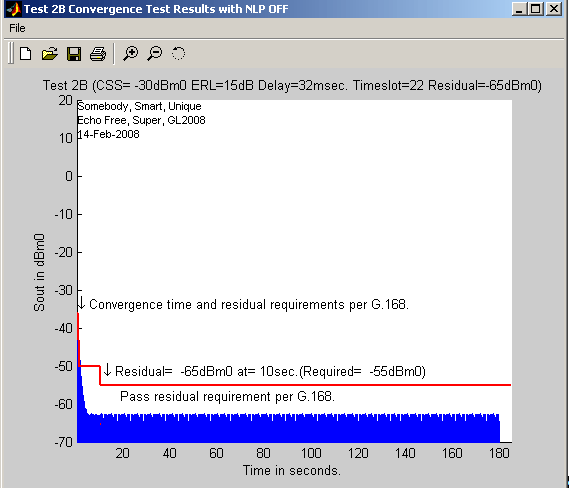
- Automatically analyzes the Sout file per G.168 specifications
Features
- MS-Windows OS (WIN 2000 or XP) with User-Friendly Graphical User Interface
- Compatible with GL's T1/E1 HD Cards / USB portable T1/E1 units and RTP Toolbox™ application
- Real-time as well as off-line analysis
- Simulates an actual echo loop using Windows Client Server (WCS)
- Auto analysis of the response according to G.168 (01/2007) requirement
- Auto or Manual control of the EC during testing
- Tabular Pass/Fail Results
- Simulation of echo path with various delay, attenuation, hybrid filters, noise level, and more
- Detailed graphical results for individual overall test
Operation
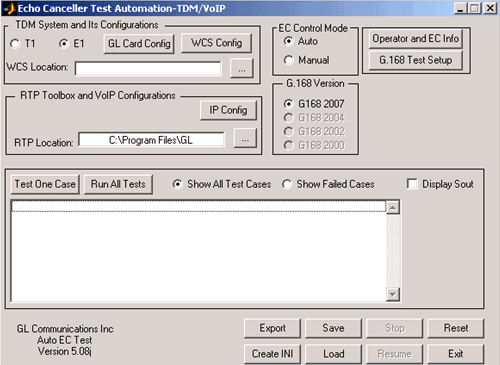
The following steps are required to set up the AutoEC Test TDM- VoIP software.
- Select T1 or E1 as TDM interface
- Configure the GL hardware –T1/E1 card
- Configure the client settings to connect to T1/E1 server and other processing options
- Specify the location of T1/E1 server application
- Setup ISDN Emulator to automatically answer calls from TDM side
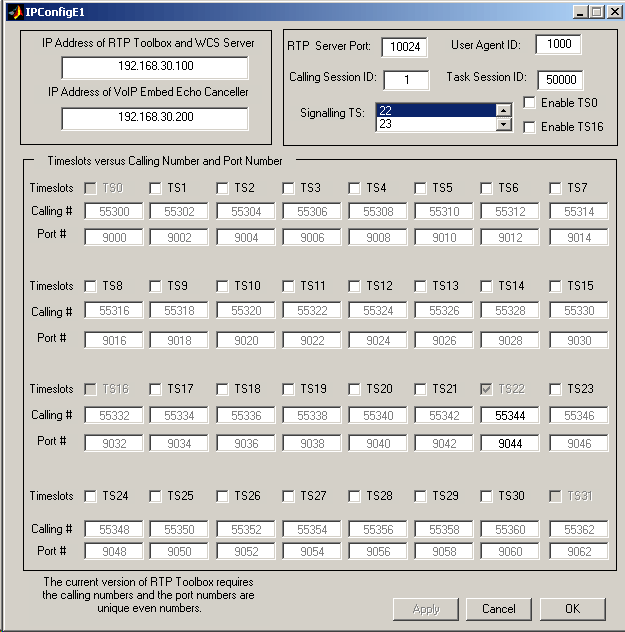
- Configure the IP address of the RTP Toolbox, media gateway, and client settings to connect to RTP Toolbox server
- Specify the location of RTP Toolbox Server application
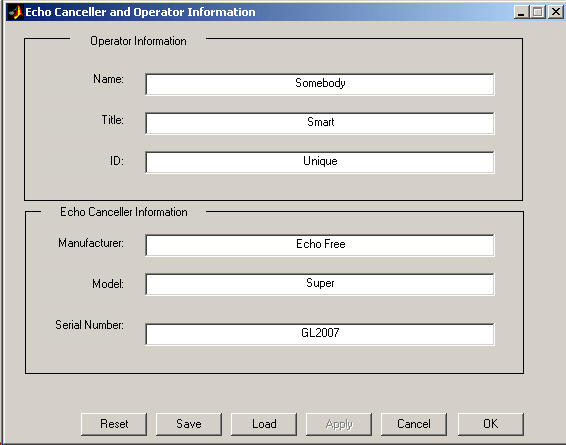
- Set up the operator and EC information
- Select the EC control option as either Auto or Manual
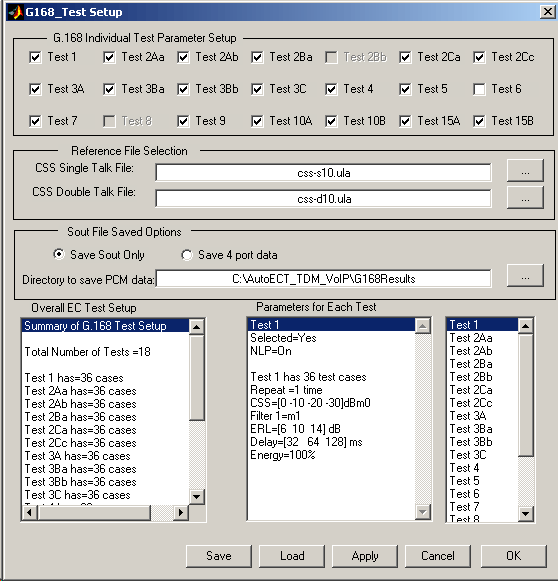
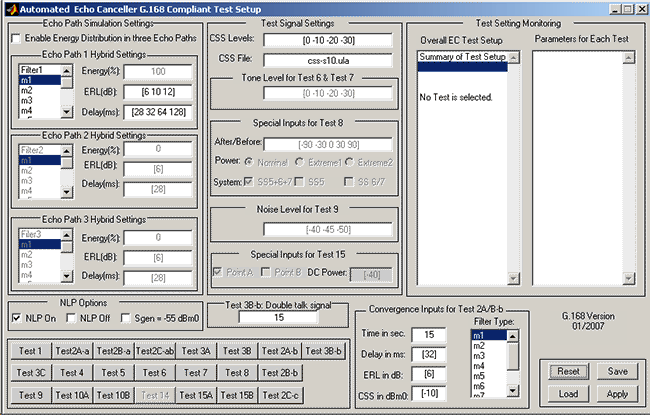
- Configure G.168 test parameters
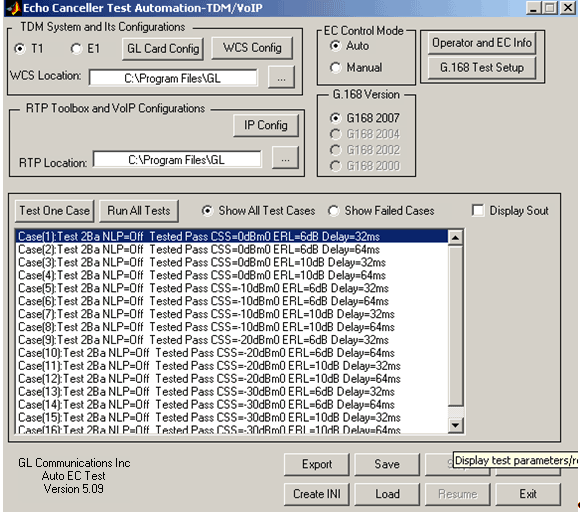
- Run the test cases
- Display the Sout graphically after all the tests are performed
EC RS 232 Control Setup
EC Control Mode
- Zeroing the contents of the echo canceller's H-register
- Enabling and inhibiting echo canceller convergence
- Enabling and disabling the non-linear processor
- If the echo canceller has a comfort noise feature, enabling and disabling the comfort noise generator
The Auto EC control mode allows users to specify the commands required to control the operation of the echo canceller. Thus, the application automatically controls the operation of the EC through RS232 serial port, TTL control (optional feature) and Ethernet (optional) during each trial.
Test Cases Supported
GL's provides support for the basic set of G.168 (2000) compliance tests. For more information, visit EC Compliance Testing per G.168 Using Manual Methods webpage.
- Test 2A Part b: Re-convergence test with NLP enabled (G.168 version 01/2007)
- Test 2B Part b: Re-convergence test with NLP disabled (G.168 version 01/2007)
- Test 2C: Convergence Test in the Presence of Background Noise
- Test 3C:Double Talk Test under Simulated Conversation
- Test 8: Non-convergence of Echo Cancellers
- Test 9: Comfort Noise Test
- Test 10A: Canceller operation on the calling station side
Screenshots
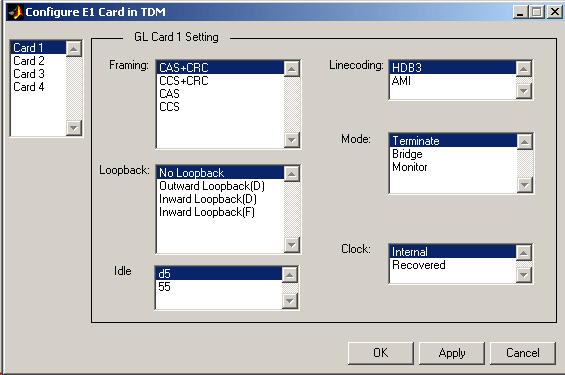
- GL Card Config for T1
- GL Card Config for E1
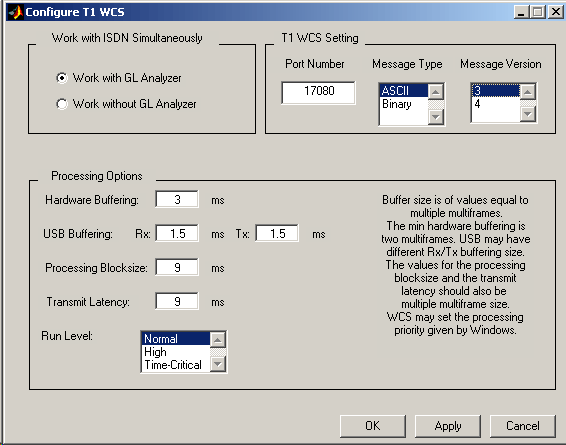
- WCS Config for T1
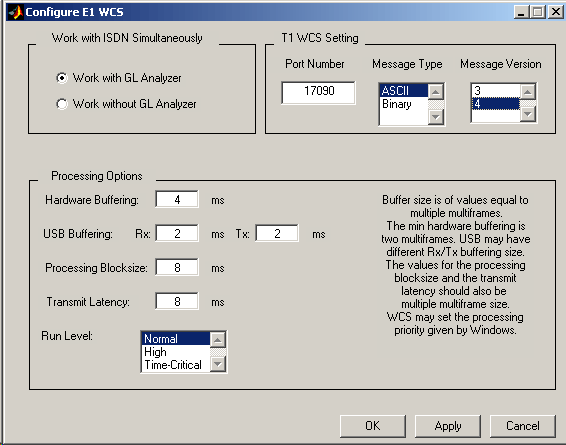
- WCS Config for E1
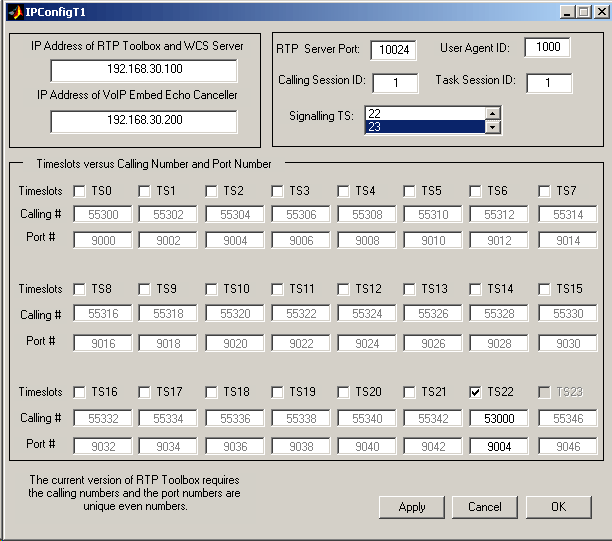
- IP Config for T1
- IP Config for E1
- Operator and EC Details
- G_168 Test Setup
- Test case Dialog
- Passes Results
- Graphical Display
Resources
Please Note: The XX in the Item No. refers to the hardware platform, listed at the bottom of the Buyer's Guide, which the software will be running on. Therefore, XX can either be ETA or EEA (Octal/Quad Boards), PTA or PEA (tProbe Units), XUT or XUE (Dual PCIe Express) depending upon the hardware.
| Item No. | Item Description |
| PKB080 | AutoECTest TDM-VoIP Fully Automated EC Testing per G.168 for combined TDM-VoIP Interfaces |
| PKB100 | RTP ToolBox™ (Included) |
| PKB110 | Client / Server for RTP Toolbox™ (Included) |
| XX105 | ISDN Emulator |
| Related Software | |
|---|---|
| PKB067 | AutoECTest - Automatic G.168 Compliance Test Suite |
| PKV100 | PacketScan™ (Online and Offline) |
| XX062 | Echo Path Delay/Loss Simulation Software |
| XX630 | DSP Functionality (Included) |
| XX610 | Transmit and Receive File capability (Included) |
| Related Hardware | |
| PTE001 | tProbe™ T1 E1 Base Unit |
| XTE001 | Dual Express (PCIe) T1 E1 Boards |
| FTE001 | QuadXpress T1E1 Main Board (Quad Port– requires additional licenses) |
| ETE001 | OctalXpress T1E1 Main Board plus Daughter Board (Octal Port– requires additional licenses) |
| Recommended Accessories | |
| SA013 | T1 / E1 On Site Training Class (not including travel or hotel) |
| SA021 | File Edit Software |
| SA026 | Adobe Audition Multitrack Sound File Viewing and Editing Software |
| SA048 | Goldwave Software |
| SA017A | RJ48C to RJ48C Straight Cable, 10ft. cable |
| SA017A | RJ48C to RJ48C Crossover Cable, 10ft. cable |
| SA008a | Handset Adapter with Handset |
| SA022 | Extended 1 Yr. Software Upgrades and Hardware Warranty, and Comprehensive Support for Basic and Optional Software |
| Brochures |
| Automated Echo Canceller Testing - Brochure |
| Presentation |
| Auto Acoustic Echo Cancellation - Presentation |
 Back to Echo Canceller Testing Solutions Main Page