UMTS Protocol Analyzer
UMTS (Universal Mobile Telecommunications System) being an access network in the mobile communication area provides a common interface to both GSM and GPRS core network.
Request a Demo / Quote Brochure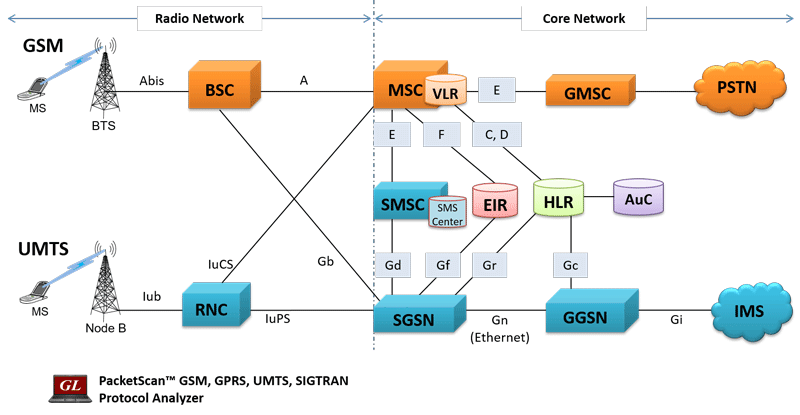 GSM, GPRS, and UMTS Network Architecture
Overview
UMTS (Universal Mobile Telecommunications System) being an access network in the mobile communication area provides a common interface to both GSM and GPRS core network. UMTS is capable of handling both Circuit-Switched (CS) as well as Packet-Switched (PS) data simultaneously through its UTRAN network. UMTS separates the user plane from control plane, radio network plane from the transport network plane, access network from the core network, and access stratum from the non-access stratum. Separation of transport network subsystem and radio network subsystem enables the UMTS to use multiple transport layer mechanism.
GL Communications supports the following types of UMTS analyzers:
- For UMTS over IP transport
- GL's UMTS Protocol Analyzer (PKV103) is available as an optional module within PacketScan™ analyzer (PKV100) or PacketScan™ HD analyzer (PKV120/PKV122) upon additional licensing. GL's UMTS Analyzer over IP offers powerful features to capture, monitor, decode, and collect statistics of UMTS signaling messages over IuCS, and IuPS interfaces. Additionally, with the support of PKV105 license PacketScan™ can handle MAP, CAP, and INAP interfaces. For more details, visit Sigtran Analyzer.
- For UMTS over TDM transport
- T1 E1 Real-time UMTS Analyzer (XX155) is available as an optional module within T1 E1 Analyzer. With this software, the T1 E1 Analyzer permits continuous real-time monitoring of ATM based UMTS signaling over Iub, Iur, IuCS, and IuPS interfaces. (Pre-requisites: GL's field proven E1 or T1 internal cards or USB based external units, required licenses and Windows® System)
- T1 E1 Offline UMTS Analyzers (OLV155) is available as an independent software that allows to decode and analyze pre-recorded traces of ATM based UMTS signaling over IuCS, and IuPS interfaces. (Pre-requisites: Hardware Dongle, and Windows® System)
GL's UMTS Protocol Analyzer is capable of capturing, decoding and performing various test measurements across UMTS network. It helps in fault diagnosis and troubleshooting of UMTS network.
In addition, it supports ATM as well as IP as the underlying transport layer. ATM based UMTS network is more popular since it ensures various QoS and Classes of Services to the end user. Over ATM, the analyzer is also capable of capturing & reassembling frames that were transmitted with Inverse Multiplexing. With Inverse Multiplexing in ATM (IMA) feature, up to 8 T1 E1 links can be combined to form a high-speed connection, providing flexible bandwidth provisioning options. ATM cells are transmitted across multiple interfaces in a cyclical fashion, and recombined to form the original stream.
Highlights
- Call Trace capability over IuCS and IuPS interfaces
- Decodes different control plane protocols i.e. NBAP, RNSAP, RANAP, ALCAP, SSCOP etc and user plane protocols i.e. Iu-UP, Iu-FP, AMR etc
- Decode NAS protocols (i.e. CC/MM/SM/SMS/GMM) along with the UTRAN specific protocols
Over TDM
- Streams can be captured on the selected time slots (contiguous or non-contiguous), sub-channels or full bandwidth. Frames may also be contained in either one, n x 64 kbps, or n x 56 kbps data channels.
- Supports ATM mapping, scrambling, and inverse multiplexing (IMA) options
- CRC verification for AAL5 carrying packet data
- Ability to configure VPI/VCI values for PVCs carrying NBAP, RNSAP, RANAP and ALCAP messages
Related Applications
- MAPS UMTS IuCS IuH Emulator
- MAPS UMTS IuPS Emulator
- UMTS Wireless Lab
- Centralized 2G / 3G Network Monitoring
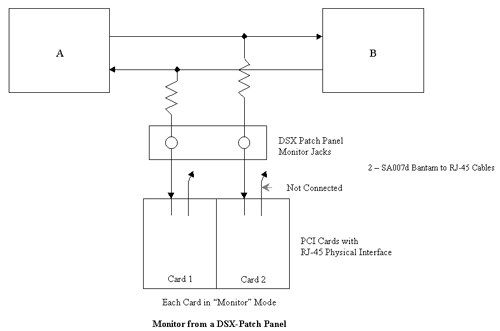
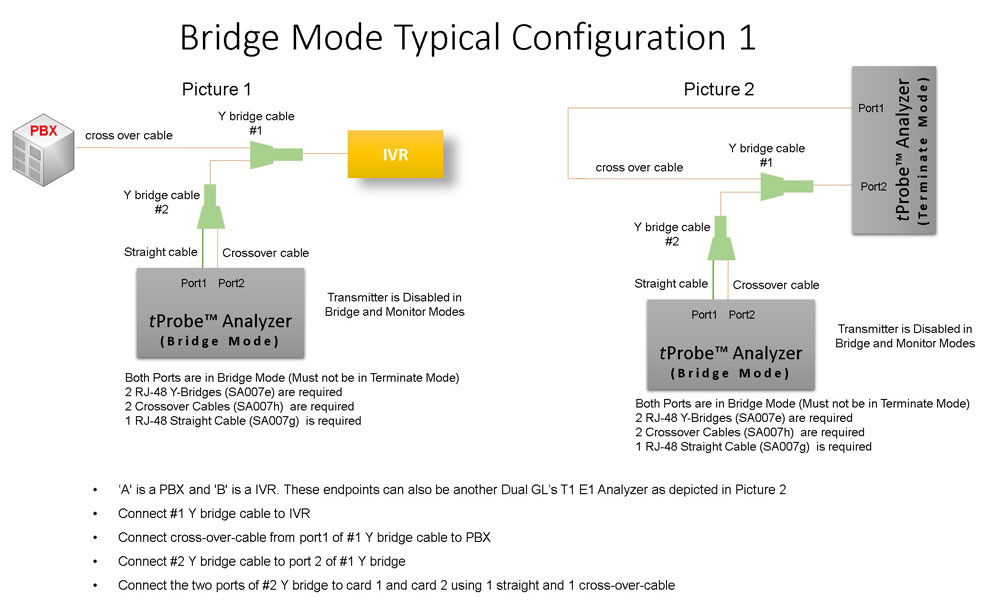
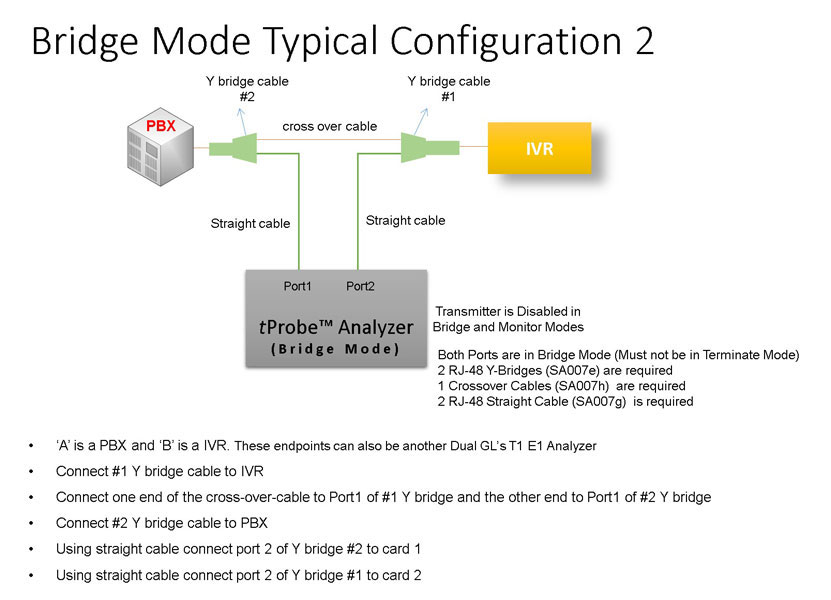
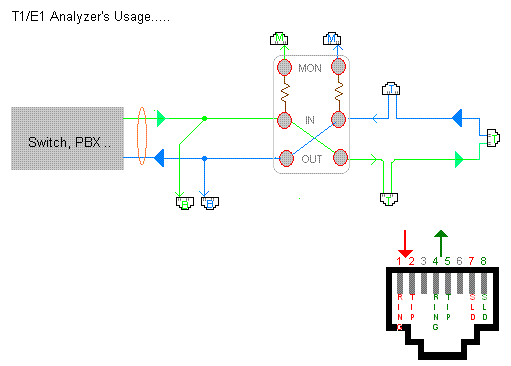
Bridge and Monitor Connections
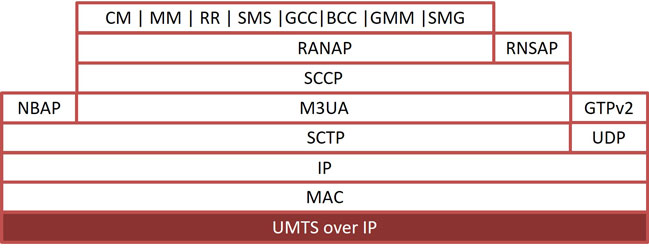
UMTS over IP
Supports decode and analyze UMTS protocol stack on NBAP, RNSAP, RANAP and more over IuCS, IuH, and IuPS interfaces.
| UMTS over IP | |
|---|---|
| Supported Protocols | Standard / Specification Used |
| RANAP | 3GPP TS 25.413 V6.3.0 (2004-09) |
| RNSAP | 3GPP TS 25.423 V6.4.0 (2004-12) |
| NBAP | 3GPP TS 25.433 V6.3.0 (2004-09) |
| M3UA | RFC 3332 |
| SCCP ITU | ITU-T Q.711-Q.714 |
| GMM (GPRS Mobility Management) | 3GPP TS 24.008 V5.0.0 |
| CC | 3GPP TS 24.008 V5.0.0 |
| MM | 3GPP TS 24.008 V5.0.0 |
| RR | 3GPP TS 04.18 V8.13.0 |
| GCC (Group Call Control) | 3GPP TS 44.068 V9.0.0 |
| BCC (Broadcast Call Control) | 3GPP TS 44.069 V9.0.0 |
| SMG (GPRS Session Management) | 3GPP TS 24.008 V5.0.0 |
| SMS | 3GPP TS 03.40 V7.5.0 & 3GPP TS 04.11 V7.1.0 GSM 03.38 version 7.2.0 |
UMTS over TDM
Supports analysis of UMTS protocols such as Iub-Interface, IuCS/IuPS-Interface, Iur-Interface.
| UMTS over TDM | |
|---|---|
| Supported Protocols | Standard / Specification Used |
| ATM | ITU-T I.361 |
| AAL | ITU-T I.363 |
| AAL2 | Class B (ITU-T I.363.2) |
| AAL5 | Class C & D (ITU-T I.363.5) |
| SSCOP | ITU-T Q.2110 |
| SSCF for UNI | ITU-T Q.2130 (07/94) |
| AAL Type 2 (ALCAP) | ITU-T Recommendation Q.2630.1 |
| NBAP | 3GPP TS 25.433 V6.3.0 (2004-09) |
| Iub FP | GPP TS 25.427 V6.1.0 (2004-12) and 3GPP TS 25.435 V6.1.0(2004-03) |
| RANAP | 3GPP TS 25.413 V6.3.0 (2004-09) |
| Iu-UP | GPP TS 25.415 V6.1.0 |
| MTP3-B | ITU-T Recommendation Q.2210 |
| RNSAP | 3GPP TS 25.423 V6.4.0 (2004-12) |
| SCCP ITU | ITU-T Q.711-Q.714 |
| SCCP ANSI | ANSI T1.112-1996 |
| SCTP | RFC 2960 |
| IP | RFC 791 |
| UDP | RFC 768 |
| GMM (GPRS Mobility Management) | 3GPP TS 04.08 V7.19.0 |
| GSM CC | 3GPP TS 04.08 V7.17.0 |
| GSM MM | 3GPP TS 04.08 V7.17.0 |
| SMG (GPRS Session Management) | 3GPP TS 04.08 V7.19.0 |
| SMS | 3GPP TS 03.40 V7.5.0 & 3GPP TS 04.11 V7.1.0 GSM 03.38 version 7.2.0 |
| AMR | 3GPP TS 26.101 V6.0.0 |
| SSSAR | ITU-T I.366.1 |
| UMTS MAC RLC | 3GPP TS 25.321 V6.1.0 and 3GPP TS 25.322 V6.1.0 |
| RRC | 3GPP TS 25.331 V6.4.0 |
| M3UA | RFC 3332 |
Screenshots
UMTS over IP
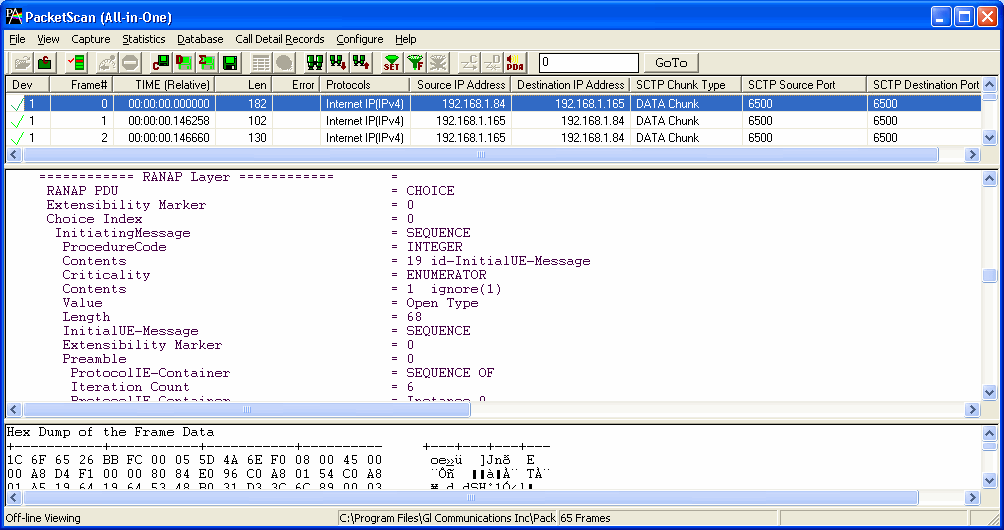
Summary, Detail, Hexdump view
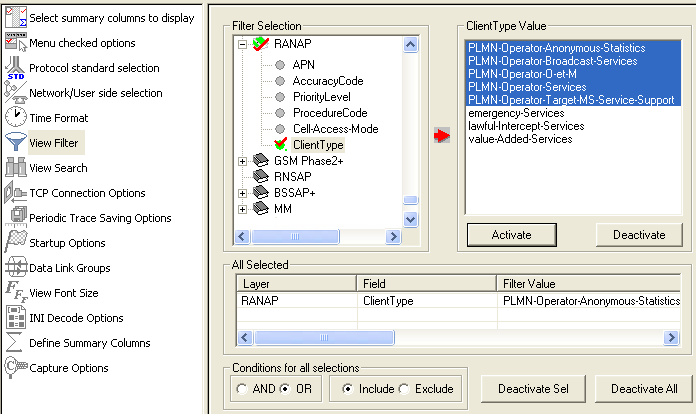
Protocol Filters
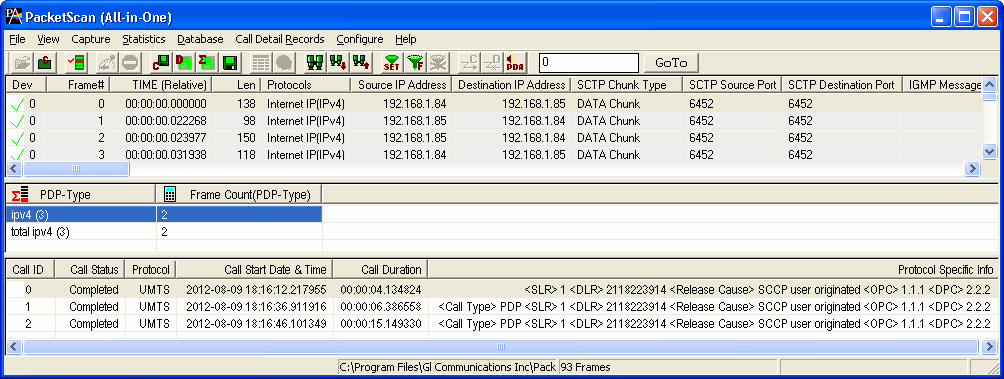
CDR and Statistics View
UMTS over TDM
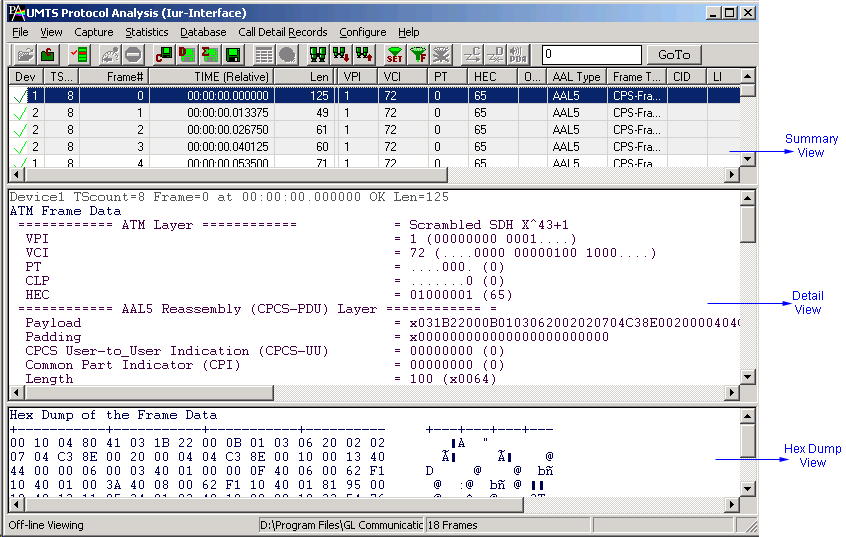
Summary, Detail, Hexdump view
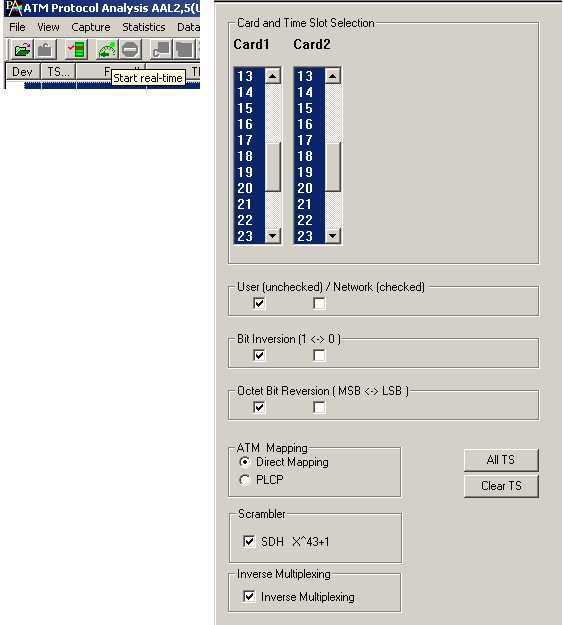
Stream Selection
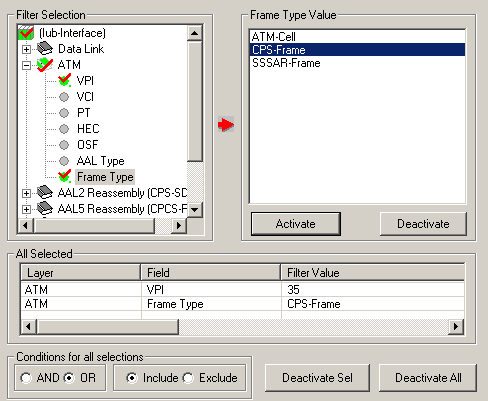
Protocol Filters
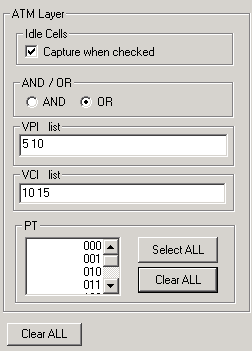
Real-time Capture Filter
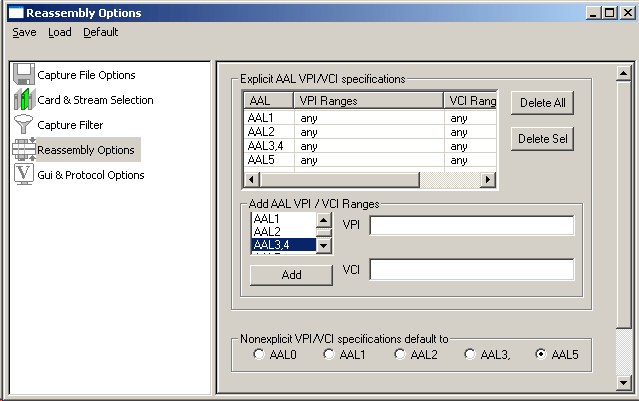
Capture Filter and Reassembly
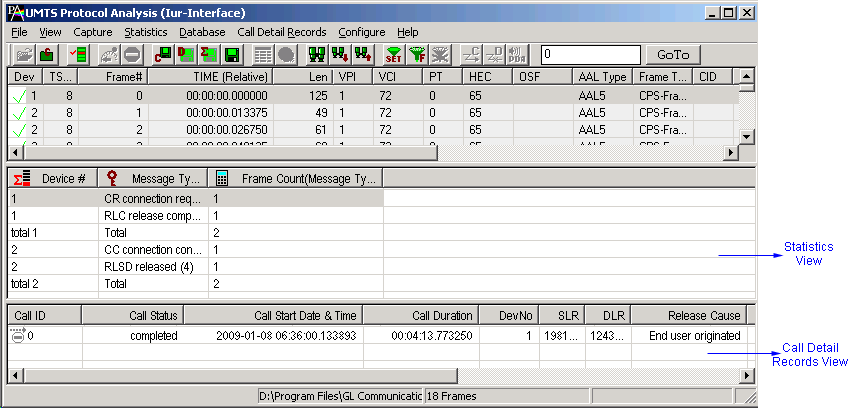
Statistics and Call Detail Records View
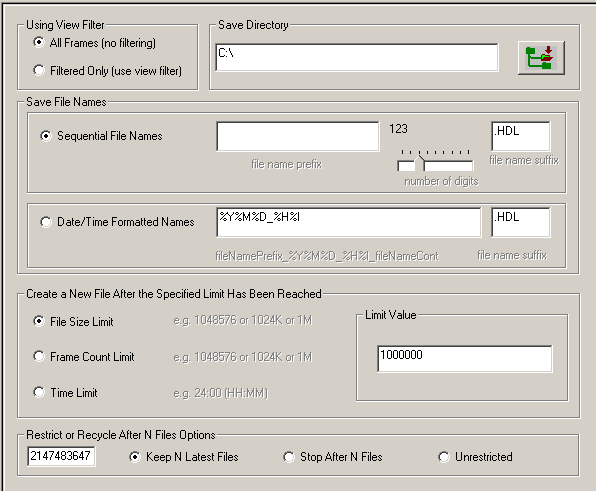
Enhanced Trace Saving Options
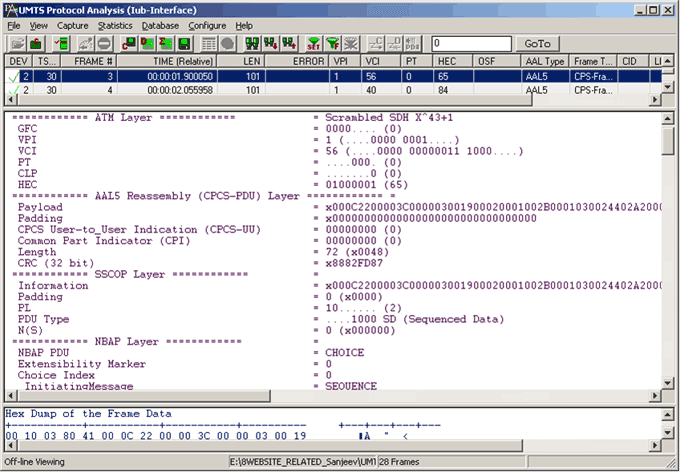
NBAP (Node B Application Part) Decode
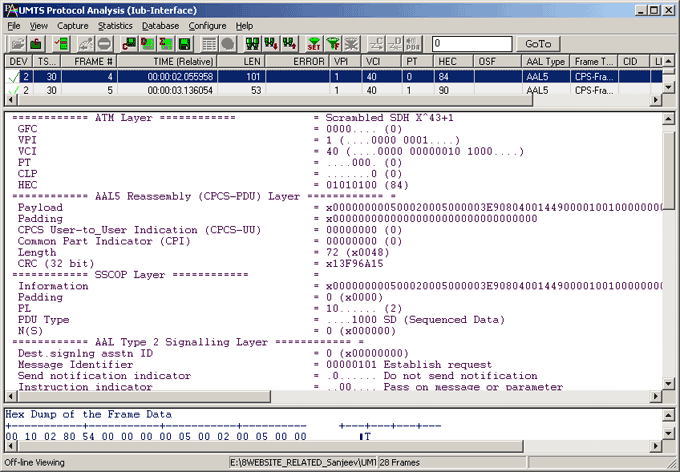
ALCAP Decode

Captured ATM frames with IMA
Capture Filter and Reassembly
Resources
Please Note: The XX in the Item No. refers to the hardware platform, listed at the bottom of the Buyer's Guide, which the software will be running on. Therefore, XX can either be ETA or EEA (Octal/Quad Boards), PTA or PEA (tProbe Units), XUT or XUE (Dual PCIe Express) depending upon the hardware.
| Item No. | Item Description |
| XX165 | T1 or E1 UMTS Protocol Analyzer |
| OLV165 | Offline UMTS Protocol Analyzer |