High Speed Ethernet Loopback Testing with PacketExpert™ 100G
PacketExpert™ 100G is a high speed Ethernet tester that can loopback packets for end-to-end network testing.
Request a Demo / Quote Brochure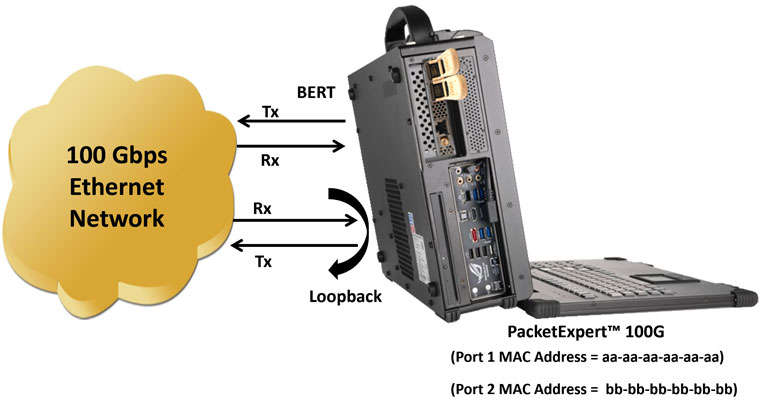
Overview
In Loopback mode, incoming Ethernet frames are received and re-transmitted back onto the network with the source and destination MAC addresses reversed. If the frames contain IP packet payloads, the IP addresses are swapped as well. For UDP packets, the source and destination UDP ports are reversed. Loopback facilitates testing across a network for measurements such as round-trip delay, packet loss, jitter, etc.
The PacketExpert™ 100G provides an automated packet loopback feature at wirespeed without loss. Smart loopback operations are supported in PacketExpert™ 100G. With smart loopback, the device intelligently decodes the incoming packet to swap all addresses and ports, without being told by the user what type of packet is in-bound.
The PacketExpert™ 100G offers loopback capability on both ports for a wide range of data rates including 1 Gbps, 10 Gbps, 25 Gbps, and 100 Gbps.
PacketExpert™ 100G - Loopback Testing
Smart Loopback
- Smart Loopback - The system automatically analyzes incoming traffic and seamlessly identifies and exchanges the Source and Destination MAC and IP addresses, along with UDP ports, prior to forwarding the packet
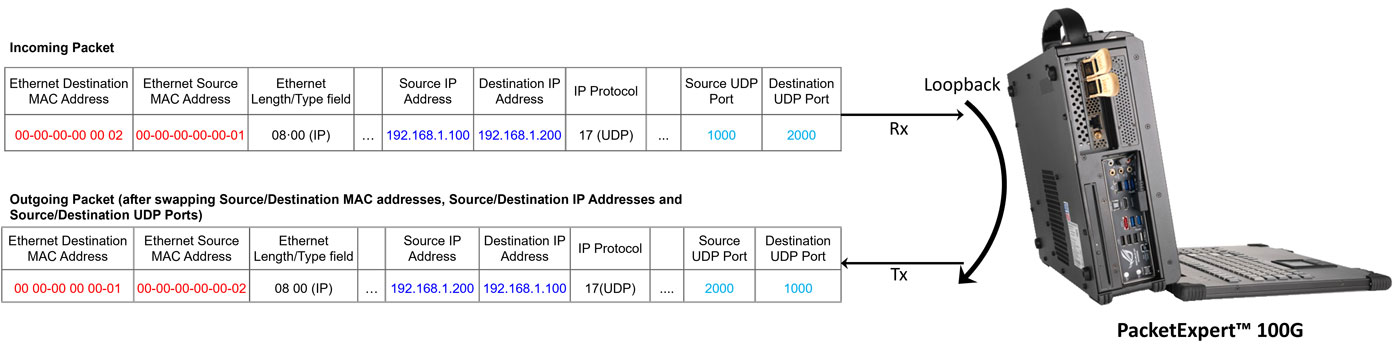
Smart Loopback Testing
Loopback enables convenient end-to-end testing, even when the other end is located remotely. In such scenarios, a PacketExpert™100G can be placed in continuous loopback at the remote location, allowing for bit error rate tests to be initiated or stopped at any time from the local end.
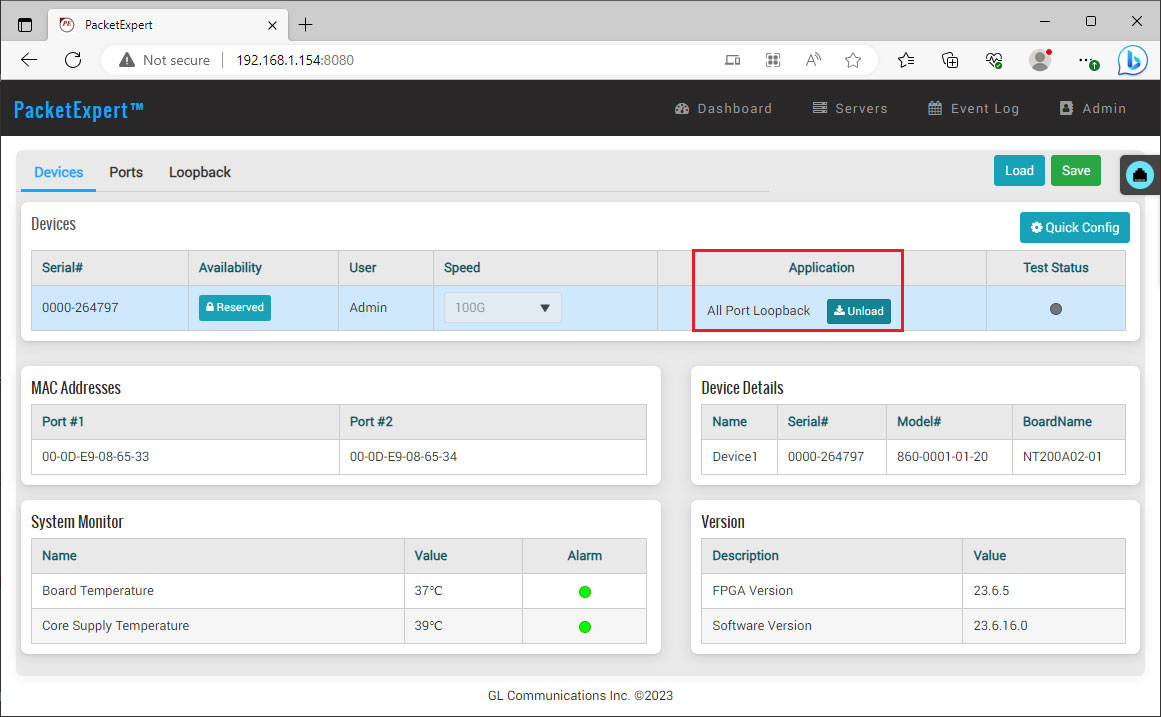
Loading All Port Loopback Application
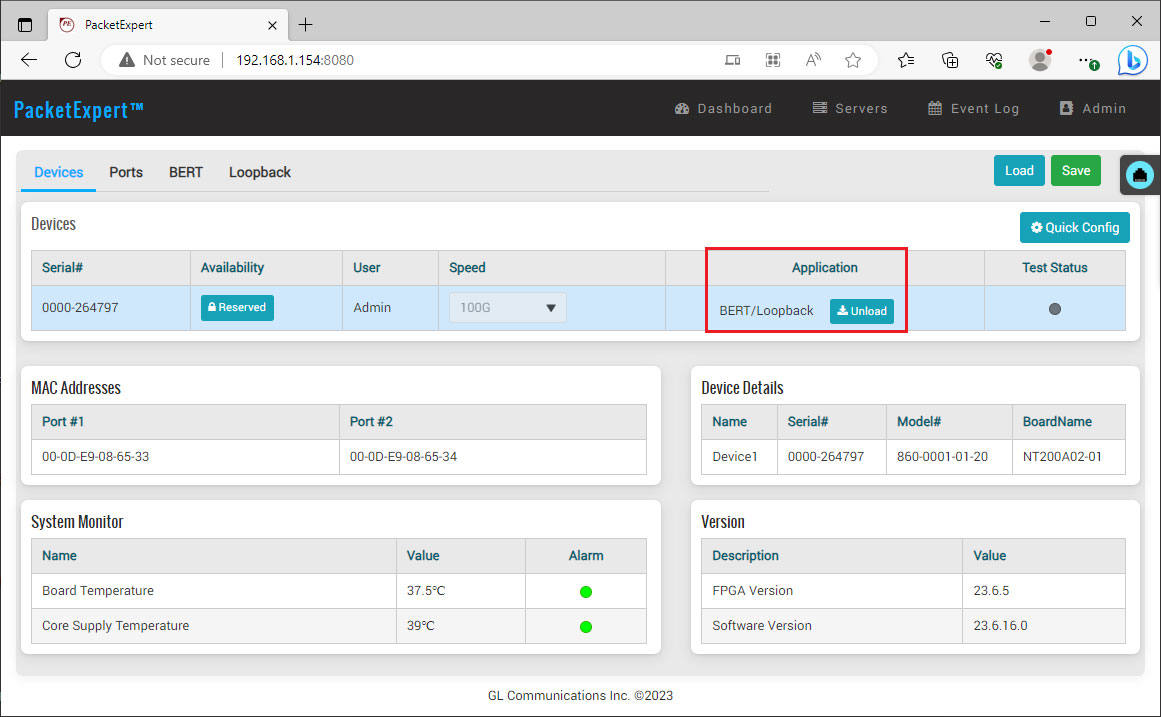
Loading BERT/Loopback Application
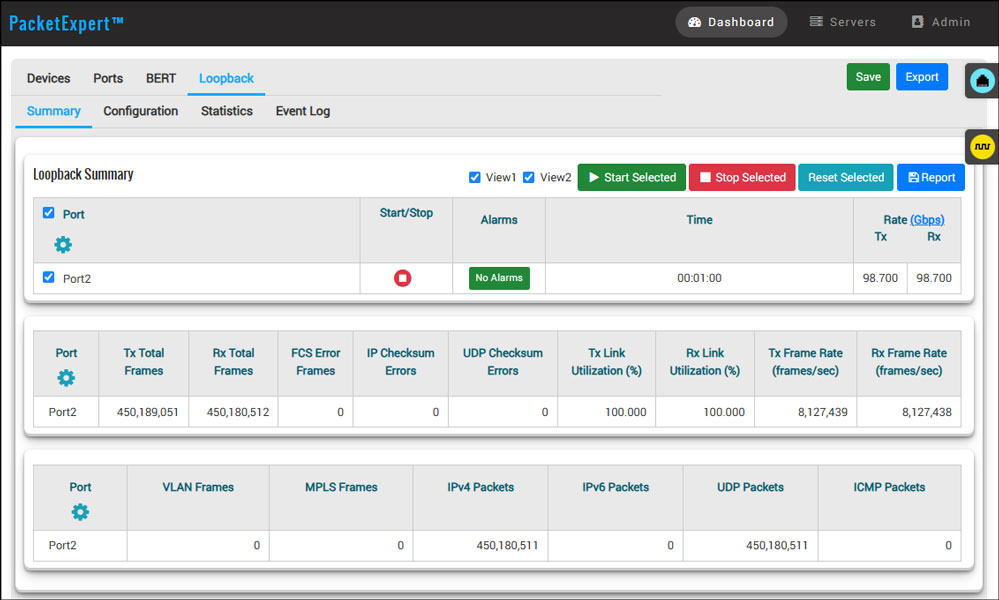
Loopback Summary
Frequently Asked Questions
- What is Loopback mode on PacketExpert™ 100G?
- In Loopback mode, PacketExpert™ 100G receives incoming Ethernet frames and re-transmits them back onto the network, enabling end-to-end network testing.
- What happens to MAC addresses during loopback?
- During loopback, the source and destination MAC addresses of each frame are reversed before retransmission.
- What happens to IP addresses in loopback mode?
- If the frame carries an IP packet payload, the source and destination IP addresses are also swapped during loopback.
- What happens to UDP ports in loopback mode?
- For UDP packets, the source and destination UDP ports are reversed in addition to the MAC and IP addresses.
- What is Smart Loopback?
- Smart Loopback automatically decodes incoming packets and intelligently swaps all applicable addresses and ports, without requiring the user to specify the packet type in advance.
- How does Smart Loopback differ from manual loopback configuration?
- Smart Loopback removes the need to manually configure the type of inbound packet; the device identifies and swaps the Source/Destination MAC, IP addresses, and UDP ports automatically before forwarding the packet.
- What measurements does loopback testing enable?
- Loopback facilitates end-to-end network testing, enabling measurements such as round-trip delay, packet loss, and jitter.
- What data rates are supported for loopback?
- PacketExpert™ 100G supports loopback on both ports across a wide range of data rates, including 1 Gbps, 10 Gbps, 25 Gbps, and 100 Gbps.
- Does loopback operate at wirespeed without packet loss?
- Yes. PacketExpert™ 100G provides an automated packet loopback feature at wirespeed without packet loss.
- Can loopback be combined with BERT on the same unit?
- Yes. PacketExpert™ 100G supports a One Port BERT/One Port Loopback configuration, where one port runs BERT while the other runs loopback.
- What port combinations are available for loopback testing?
- Available combinations include All Port Loopback (both ports run loopback) and BERT/Loopback (one port BERT, one port loopback), allowing flexible test configurations per unit.
- How does loopback help with remote end-to-end testing?
- A PacketExpert™ 100G unit can be placed in continuous loopback at a remote location, allowing bit error rate tests to be started or stopped at any time from the local end, without needing a second device operator on site.
- What is shown in the Loopback Summary view?
- The Loopback Summary view provides a consolidated display of loopback test results across the ports under test.
- What port-wise statistics are available during loopback testing?
- Port-wise statistics include Frame Count, Frame Rate, Link Utilization (Layer 1 line rate in %), and Data Rate (Layer 2 data rate in Mbps), along with categorized breakdowns by Frame Type, Frame Length, and Protocol Type.
- What frame length categories are tracked in statistics?
- Frame length categories tracked include 64 bytes, 65-127 bytes, 1024-1518 bytes, Oversized, and Undersized frames.
- What protocol types are tracked in statistics?
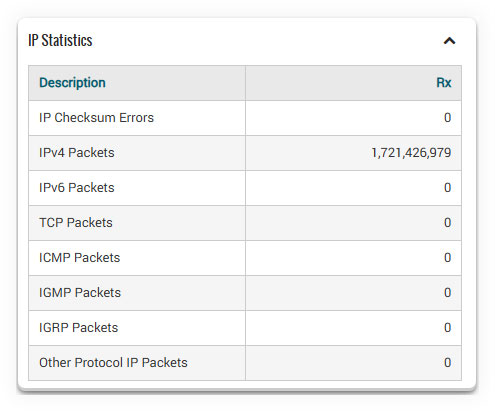
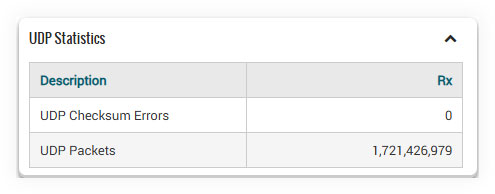
- Tracked protocol types include IPv4, IPv6, UDP, TCP, ICMP, IGRP, and others.
- Are VLAN and MPLS statistics available?
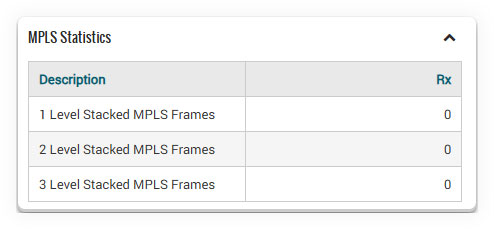
- Yes. Statistics for stacked VLAN and MPLS traffic are provided as part of the port-wise statistics for detailed network analysis.
- Can loopback testing be used for round-trip delay measurement?
- Yes. Because loopback returns traffic to its source, it enables round-trip delay measurement across the network under test.
- Can loopback testing measure jitter and packet loss?
- Yes. Loopback-based testing allows jitter and packet loss to be measured as traffic traverses the network to the loopback point and back.
- Is loopback supported on both ports of the PacketExpert™ 100G?
- Yes. Loopback capability is offered on both ports of the PacketExpert™ 100G, supporting data rates of 1 Gbps, 10 Gbps, 25 Gbps, and 100 Gbps.
Port-wise Frame Statistics
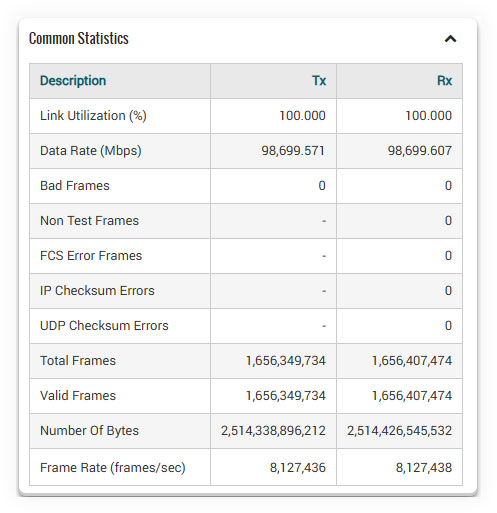
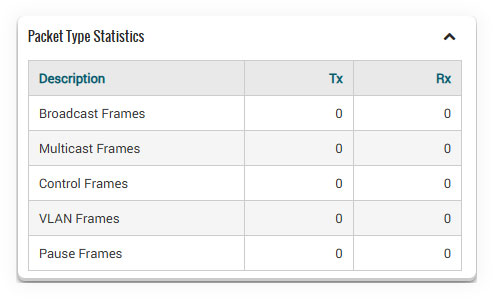
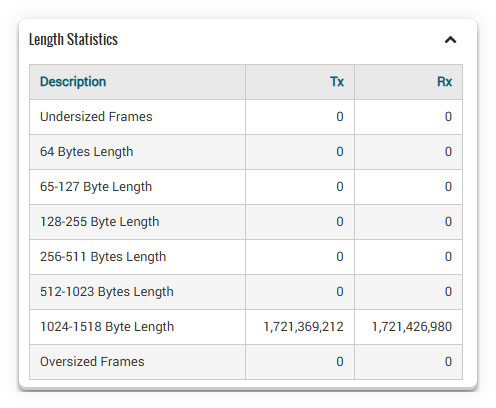
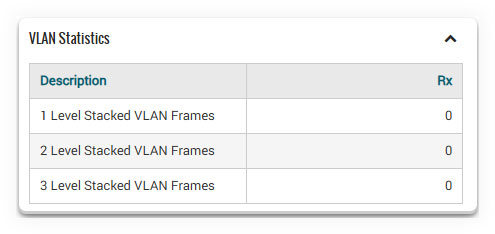
The PacketExpert™ 100G offers comprehensive statistics per port, providing detailed insights into network performance. Alongside statistics such as Frame Count, Frame Rate, Link Utilization (Layer 1 line rate in %), and Data Rate (Layer 2 data rate in Mbps), it also presents statistics based on various categories. These include Frame Type (Broadcast, Multicast, VLAN), Frame Lengths (64, 65-127, 1024-1518, Oversized, Undersized), and Protocol Type (IPv4, IPv6, UDP, TCP, ICMP, IGRP, etc.). This extensive range of statistics allows for a thorough analysis of network behavior and performance characteristics.
All Port Loopback Statistics