Welcome to the April issue of GL Communications' Newsletter providing information about new introductions to GL Communications'
product lines T1 E1 Analyzer Product Series.
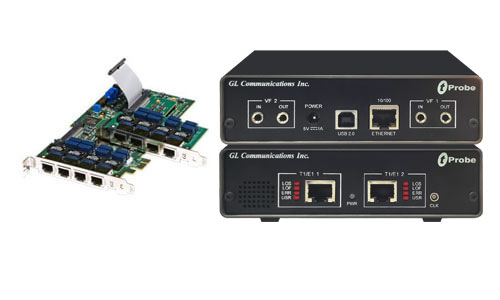
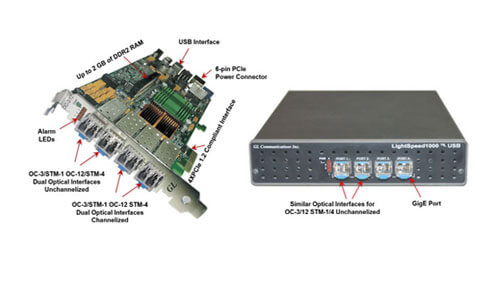
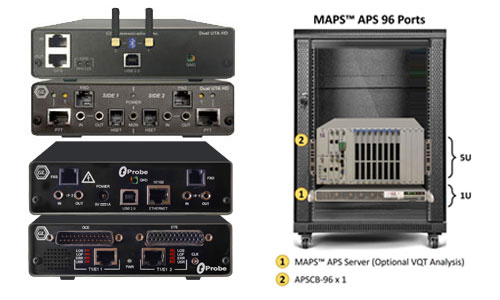
GL's new USB based T1 E1 Analyzer is the world's simplest and most cost-effective analyzer on the market. It can also be the most
powerful BERT, voiceband, data, signaling, and protocol analyzer.The USB based T1 E1 analyzer can perform analysis and emulation of
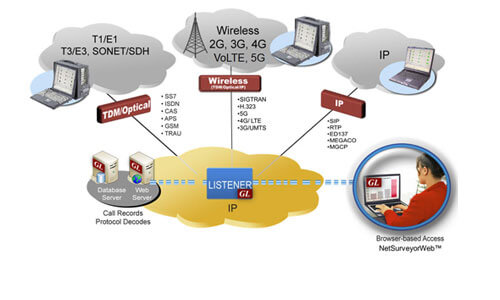
various signal types including voice, digits, and tones;analysis of various protocols including HDLC, ISDN, SS7, CAS, Frame Relay, GSM,
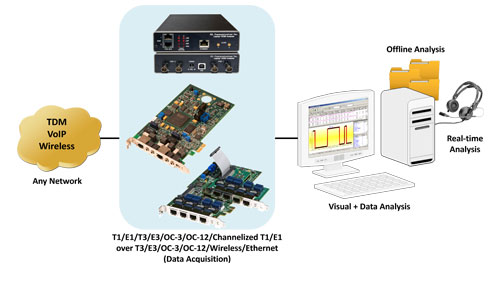
GPRS, CDMA, and UMTS. It is capable of T1 or E1 PCM signal visualization, capture, storage, analysis, and emulation. In addition, convenient
features are available like portability, USB friendly interface to a PC, remotability, and scripting.
The unit comes with basic software in T1 and E1 variants for basic testing needs. Optional features that extend the capability far
beyond the most expensive T1 E1 testers can be added at will. For example: capturing and transmitting the entire raw T1 or E1 signal
simultaneously on two full duplex ports, or performing ISDN emulation, or SS7 analysis, or analyzing echo and voice quality on voiceband
channels.
Significant Features
- Converts a Notebook or Desktop PC into a powerful T1 E1 test instrument.
- Compatible with Windows XP and 2000 operating systems and user friendly real-time software.
- Hardware is capable of dual T1 and E1 interface (software selectable).
- USB 2.0 interface for complete access to T1 E1 rate signals.
- Lightweight (less than 2 lbs) and small footprint ( 5" x 4" x 1.5") OR (12.7 x 10.2 x 3.8 cm).
- Two (2) port and four (4) port captures of T1 and E1 signals with one or two USB T1 E1 Analyzers connected to a single PC.
Typical Applications
- Lightweight and small footprint The unit's size and weight make it easy to carry in the pouch of a Notebook PC - perfect for air
travel. Compatibility with any Notebook PC allows the software to be installed on many PCs - just ship the unit to your destination and use
an available PC.
- Remote access capability Install the unit and walk away! Use remoting, or scripting software to control or monitor the unit from
anywhere. Any remoting software such as PC Anywhere or VNC will work. Or, use our powerful scripting software to automate and remote
all data acquisition and processing functions.
Back to Latest News Page