T3 E3 Testing: Advanced Remote Configuration and Automation through GL's Windows Client/Server Software
GL's Windows Client/Server software enables effortless T3 E3 testing with remote control, allowing seamless configuration and automated tasks across multiple sites.
Request a Quote Brochure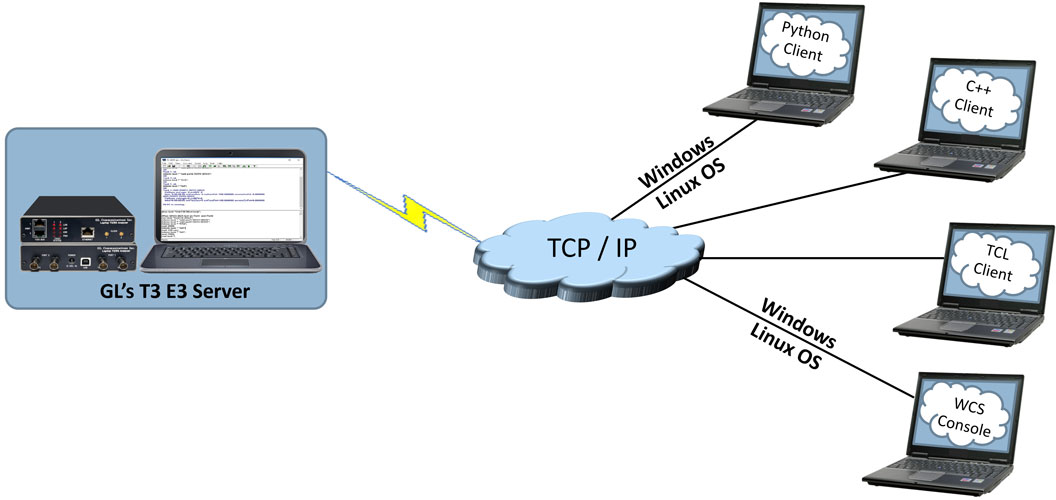
Overview
GL's Windows Client/Server software is a non-GUI based program for remote, scripted, and automated control of configuration, capture, transmission and more. T3 E3 Cards in a server mode can be easily controlled through software-based clients at remote or local sites via TCP/IP sockets, thus allowing multi-site connectivity. Connectivity can be via Dial-Up, LAN, WAN, or more typically the Internet. The server software can run multiple tasks simultaneously at the request of the client software.
Main Features
- Intrusive / Non-Intrusive T3 E3 Testing
- Performance monitoring and testing of multiple site locations from a single client
- Shared use of T3 E3 test equipment from multiple client locations
- Ideal for automated testing on production lines
- Uses the same intelligent parsing and messaging system used by GL's T1 E1 client-server
- Simultaneous testing of high capacity T3 E3 systems through a single client
- Integration of T3 E3 testing into more complex testing systems
- Simple modifiable scripts to run various tests
- Monitor, report, and record alarms locally or remotely
- Wild card and sequential operators available in the command syntax, allows you to configure and control multiple elements of the test set using a fewer lines of commands
- Free client software (with full source code) is available for download
- Custom TCP/IP clients could be developed in any programming language to seamlessly integrate into your existing testing program
GL Server Functions
The server performs 'actions' and 'tasks'. An 'action' is in response to a 'command' initiated by a client. The server performs the action immediately and notifies the client of the result. A 'task' is more complicated, and usually involves real time generation and processing of data. Multiple tasks can be initiated without completion of previous tasks. The server informs the client on tasks: started, status, complete, and so on. Typical tasks are Get Software version, Rx Signal Settings, Loopback Settings, alarm monitoring, Tx Rx Framing Formats, Clock Source Settings, Mode Selection, Insert errors and get error counts, FEAC messages, Line level and signal frequency and others. For a complete list refer to the T3 E3 Command Line Interface (CLI) Command Reference User Manual.
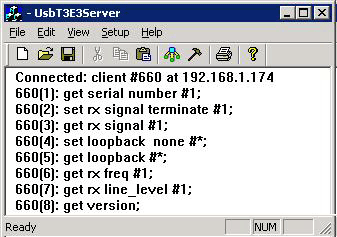
Windows Server Interface for T3 (DS3) E3 Analyzers
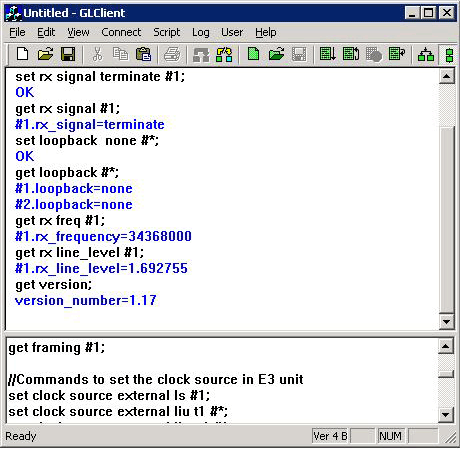
Windows Client Interface for T3 (DS3) E3 Analyzers
Windows/Linux Client
Windows/Linux Client (WLC) is a Command Line Interface (CLI) application that issues commands to T3 E3 WCS server and display replies into Console/PowerShell/Terminal Windows. WLC works in Windows and Linux versions. However, through SSH or another remote access terminal it can be used on any operating system. WLC is a portable Windows/Linux WCS client communication library compatible with WCS server.
WLC has two groups of commands:
- WLC commands: Display WLC command help, connect to WCS Server, disconnect from WCS Server, pass commands to WCS servers and display replies, save, and execute scripts etc.
- WCS commands: Controls T3 E3 cards and display responses from the WCS server commands and tasks
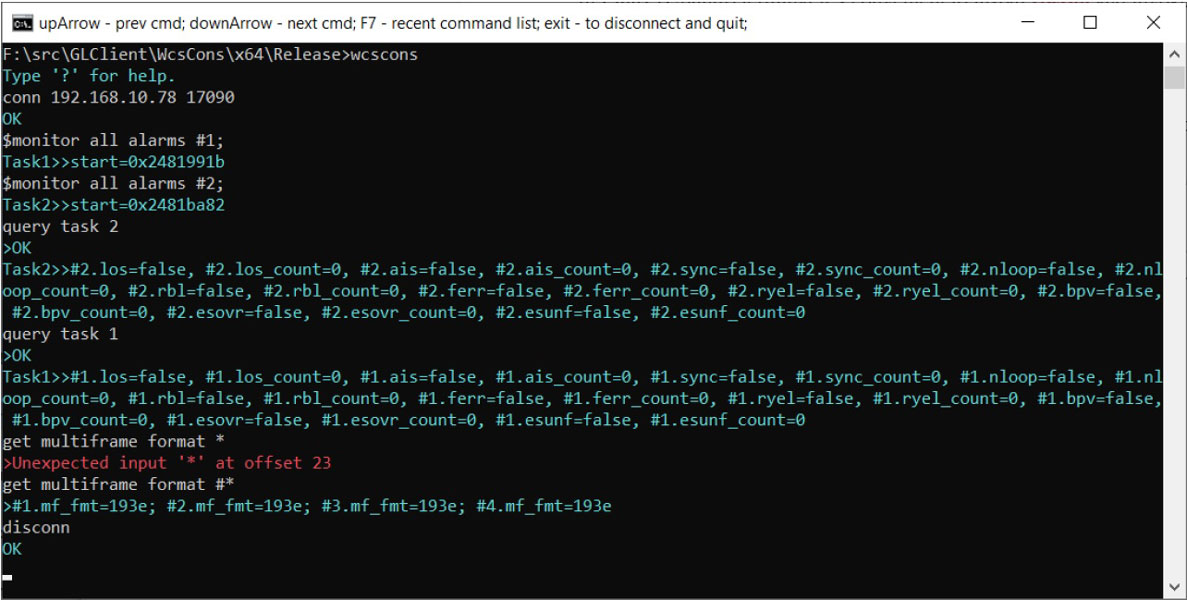
WCS Console
GL Clients
Various client applications (in C++, C#, Windows TCL, Windows/Linux Python ) along with their complete source code is distributed freely with GL's Windows Client Server (WCS) application and can be used as a template for building your own complex clients. Clients are compatible with Windows® and Linux® operating systems.
A client communicates with the server via TCP/IP encapsulated commands/tasks/responses. GL provides sample-working clients written in C++, C#, Windows TCL, and Windows/Linux Python. The user may expand on these, as the user desires. Both commands and tasks are high-level functions, e.g., Rx signal settings, loopback settings, alarm monitoring, transmit receive framing formats, and so on. A client can initiate multiple tasks simultaneously or sequentially (queue up tasks in succession). All exchanges between the client and server are displayed and can be logged to a file for later viewing. Batches of commands/tasks can be saved or loaded for efficiency. 'cut' and 'paste' features are also provided.
Client Features:
- GL's T3 E3 Windows Client Server (WCS) application works with Laptop or Desktop PCs
- WCS clients are available for Windows and Linux operating system via console/terminal Command Line Interface and accessible remotely through SSH
- WCS commands can be issued in Python scripts running in Windows or Linux
- All commands are simple and self-explanatory
- Commands can be customized to implement interactive menu options to set Tx Rx Framing Formats, Clock Source, getting FEAC messages, Line level, signal frequency and so on
- Values returned from the server can be easily accessed and stored as user-defined variables
- Streamlines both the source script and the output by executing only the messages that user requests
- Includes remote monitoring capability
WCS Modules
WCS module TT3600/EE3600 – Bit Error Rate Test (BERT)
BERT on framed or unframed unchannelized T3 E3 (UsbT3E3Bert) is an optional WCS Server side module that:
- Performs BERT on pseudo random patterns such as QRSS, 26-1, 29-1, 211-1, 215-1, 220-1, 223-1, etc.
- Single or continuous Bit Error insertion for Logic and BPV errors
- Capability of remote operation, automation, and multi-site connectivity
Sample Script for BERT:
run task "UsbT3E3Bert";

                  inform task * "add port1 RXTX QRSS";

                  inform task * "add port2 RXTX QRSS";

                  inform task * "STA";

                  inform task * "QA";
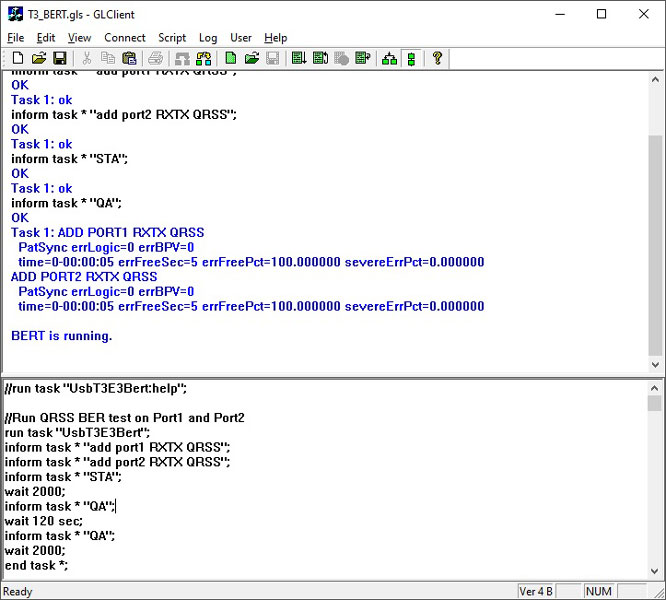
The above sample script performs BERT on Port 1 and Port 2 and displays the results such as Sync status, Logic and BPV Error counts, Error Free Seconds, Error Free Percentage, and Severe Error Percentage.
WCS module TT3610/EE3610 - File transmission and reception
Tx/Rx Files on unframed unchannelized T3 E3 (UsbT3E3FileXmit) is an optional WCS Server side module that:
- Transmits data read from files
- Receives data to files
- capability of remote operation, automation, and multi-site connectivity
Sample Script for File and Reception:
run task "UsbT3E3FileXmit"  using "QEND";

inform task * "rx #2 '\rx.dat'  CONT";

inform task * "tx #1  'C:\Program Files\GL Communications Inc\Laptop T3 Analyzer\Sample TxRx  Files\QRSS.BER' cont";

inform task * "start";

end task *;
run task "UsbT3E3FileXmit"  using "QEND";

                                  inform task 1 "tx #1  'c:\usb_t3e3.bit' EOF";

                                  inform task 2 "rx #2  'c:\rx.dat' LIMIT 1000000";

                                  inform task 1 "start";

                                  inform task 2 "start";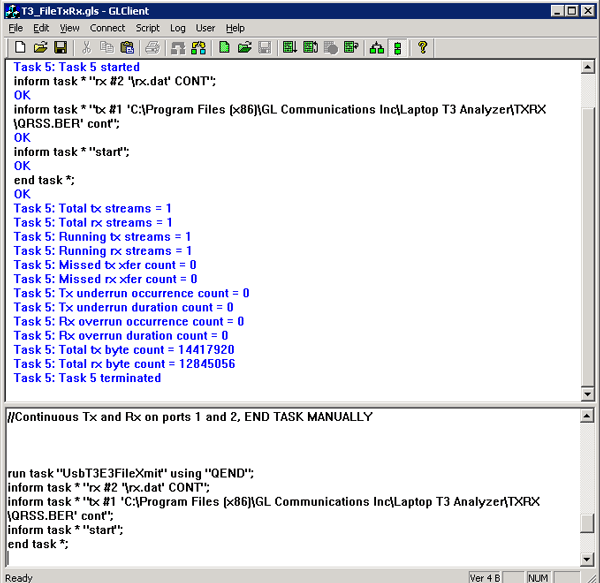
The above sample script transmits file 'c:\usb_t3e3.bit' till end-of-file (EOF) and stops when it reaches end of file. Task 2 receives 1000000 bytes and stores it in c:\rx.dat file.
WCS module TT3634/EE3634 - HDLC Emulation and Analysis
USB T3 E3 HDLC Tx/Rx Test (UsbT3E3HdlcTest) is an optional WCS Server side module that:
- Sends HDLC frames with or without impairments
- Receives and verifies HDLC frames and optionally logs the errors
- capability of remote operation, automation, and multi-site connectivity
Sample script for transmit & receive function:
//creates 2 streams on port 1 and 2, sequential numbers of fixed length 8 byte long + 4 byte (CRC 32 by default) each consisting of 12000 frames with 200 flags between frames
// insert some impairment ( corrupt 10 consecutive frames, skipping 9 frames, offs 3 XOR 5 ) on both the cards.
run task  "UsbT3E3HdlcTest:tx";

                                  inform task * "#1,2 SEQNUM  FIXLEN 8 FRAMES 12000 FLAGS 200";

                                  inform task * "error rep 10  skip 9 offs 3 xor f5";

                                  inform task * "start";

                                  end task *;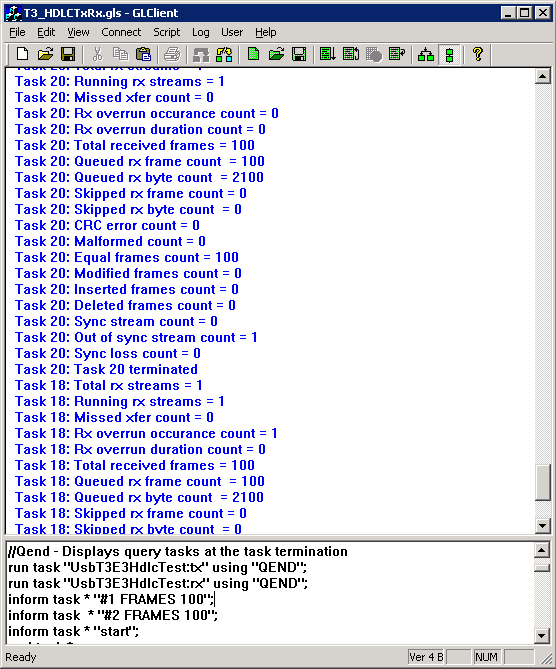
WCS module TT3635/EE3635 - WCS PPP Emulation and Analysis
The T3 E3 PPP Tx/Rx Test (UsbT3E3HdlcTest) is an optional WCS module that:
- Sends PPP frames with or without impairments
- Receives and verifies PPP frames and optionally logs the errors
- Provides remote operation, automation, and multi-site connectivity
Sample Script for PPP Emulation and Analysis:
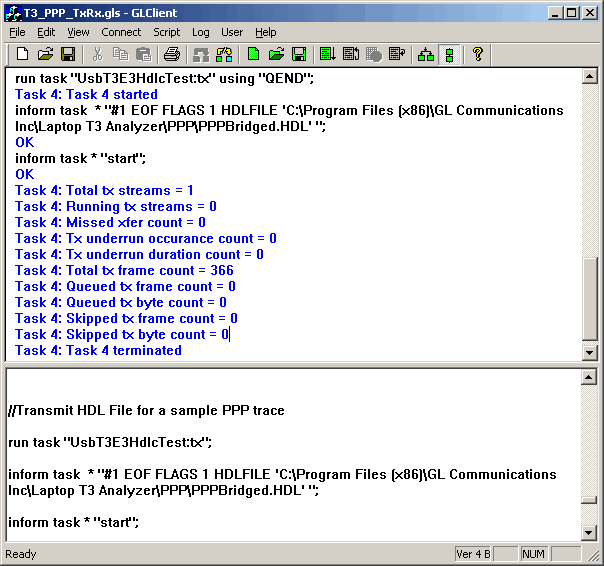
//Transmit HDL File for a sample PPP trace
run task  "UsbT3E3HdlcTest:tx" using "QEND";

                                    run task  "UsbT3E3HdlcTest:rx" using "QEND";

                                    inform task  * "#2 EOF FLAGS 1 HDLFILE 'C:\Temp.HDL'  ";

                                    inform task  * "#1 EOF FLAGS 1 HDLFILE 'C:\Program  Files\GL Communications Inc\Laptop T3 Analyzer\PPP\PPPBridged.HDL' ";

                                    inform task * "start";

                                    end task *;
Resources
| Item No | Item Description |
| TT3600/ EE3600 |
T3 E3 Basic Client Server Scripted Control Software |
| TT3610/ EE3610 |
T3 E3 Client Server Tx/Rx File |
| TT3634/ EE3634 |
T3 E3 Client Server High Throughput HDLC Tx/Rx Test |
| TT3635/ EE3635 |
T3 E3 Client Server High Throughput PPP Tx/Rx Test |
| XX617 | T3 E3 WCS Client Python Module |
| Brochures |
| USB T3 E3 Client Server Brochure |
| Presentations |
| Windows Client Server for T3 E3 Analysis Presentation |
 Back to List of T3 E3 Basic and Optional Applications Main Page